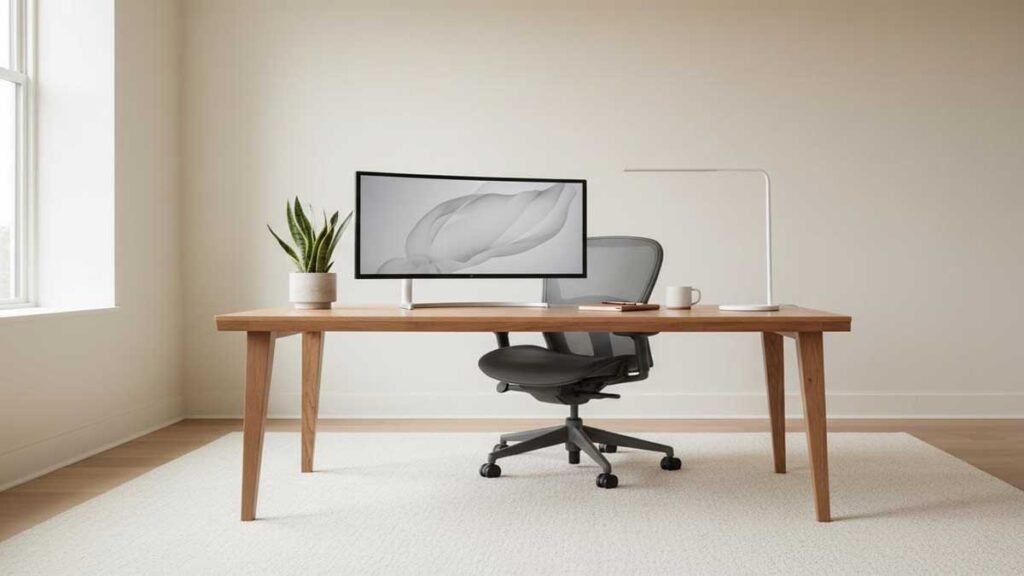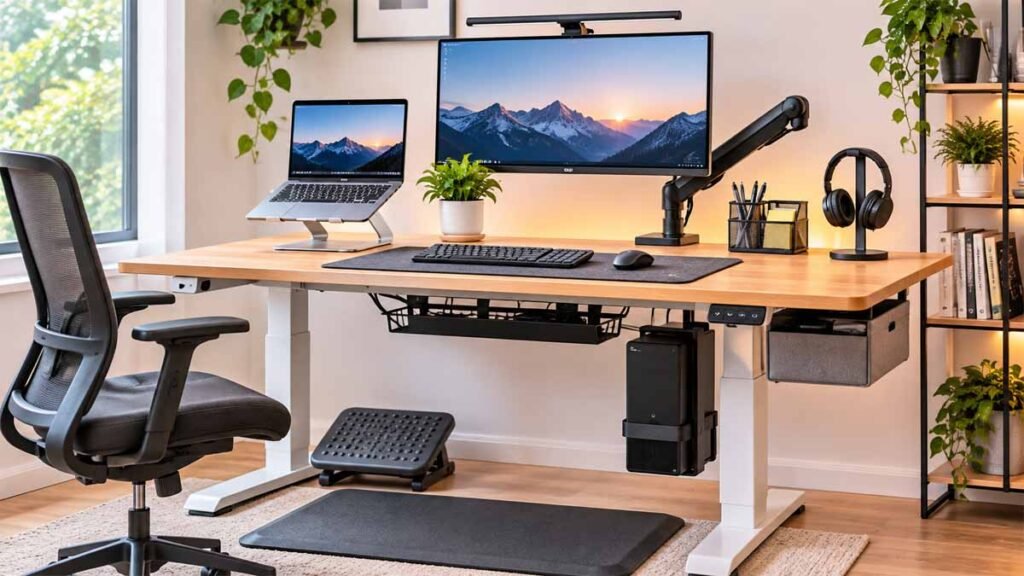
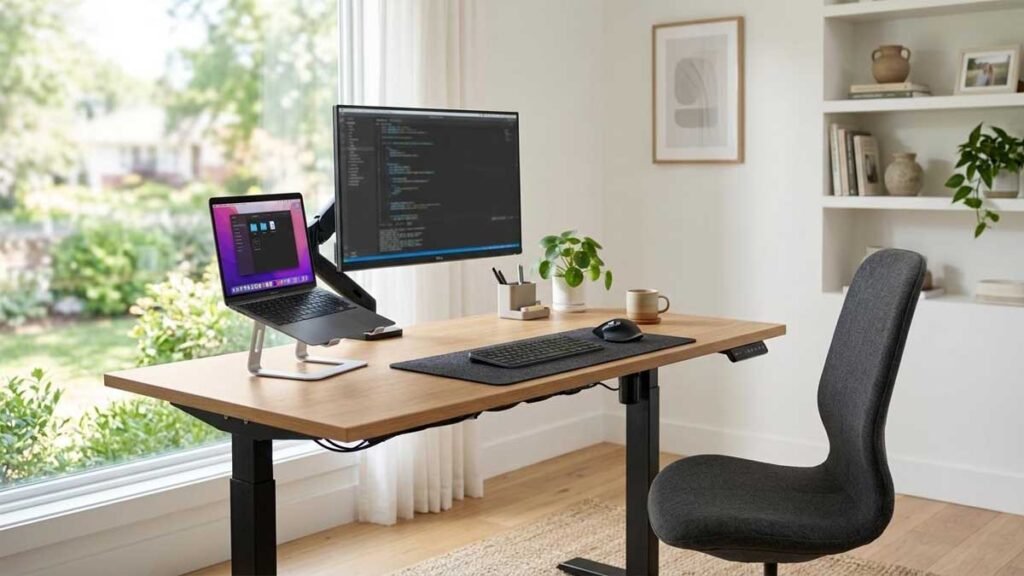
If you spend most of your workday sitting in front of a computer, you’ve probably wondered whether a standing desk could make your workspace more comfortable.
But what is a standing desk, exactly? How does it work, and is it worth replacing the traditional desk you already own?
A standing desk is a workstation designed to let you work while standing. Some models remain at a fixed height, while adjustable versions allow you to switch between sitting and standing throughout the day.
That flexibility is the main attraction. Instead of spending hours in one position, you can change how you work without moving your computer, monitor, or other office equipment.
Still, standing desks aren’t a shortcut to better health. Standing all day can create its own discomfort, and research doesn’t support every benefit manufacturers advertise.
This guide explains how standing desks work, the different types available, nine practical benefits and considerations, proper desk height, ergonomic setup, and the features worth checking before buying one.
What Is a Standing Desk?
A standing desk, also known as a stand-up desk, is a desk designed for working in a standing position.
Unlike a traditional sitting desk, which generally has a fixed desktop height, many modern standing desks allow users to adjust the work surface.
An adjustable version is commonly called a sit-stand desk or height-adjustable desk.
These workstations are used in home offices, corporate environments, shared workspaces, and computer-based jobs.
The basic purpose is to let users change working positions without interrupting their tasks.
For example, you might sit while preparing a detailed spreadsheet, stand during a video meeting, and return to sitting when you need to concentrate on a longer document.
A standing desk can make these transitions easier.
What Makes a Standing Desk Different From a Regular Desk?
The main difference is working-height flexibility.
A traditional desk is usually designed around seated work. You adjust your office chair to bring your body closer to the correct working position.
With an adjustable standing desk, you can change the desktop height itself.
This becomes useful when you want to alternate between working positions or share a workstation with someone of a different height.
However, not every standing desk is adjustable. Some tall desks are intended primarily for standing and cannot be lowered for ordinary seated work.
Understanding that distinction is important before shopping.
How Do Standing Desks Work?
If you’re wondering how standing desks work, the answer depends on the lifting mechanism.
Most adjustable models use one of three systems.
Electric adjustment: One or more motors raise and lower the desktop when you press a control button.
Manual adjustment: A hand crank or mechanical lifting mechanism changes the desk height without requiring an electric motor.
Desktop converter: A separate platform sits on your existing desk and lifts your monitor and keyboard to a standing position.
Electric models often include memory buttons for saving preferred heights.
Manual models generally require more effort to adjust, while converters let you keep the desk you already own.
Whichever mechanism you choose, the goal is to provide a working surface that supports comfortable computer use at different heights.
Four Main Types of Standing Desks
Choosing the right standing desk begins with understanding the different designs.
1. Electric Standing Desk
An electric standing desk uses a motorized frame to adjust its height.
Most models have a control panel with up and down buttons. Some include programmable memory settings, collision-detection features, and digital height displays.
Electric desks are convenient for people who plan to switch positions several times throughout the day.
They can also work well in shared home offices where different users need different settings.
However, they require a power source, and motor quality, lifting capacity, and stability vary between manufacturers.
2. Manual Standing Desk
A manual standing desk uses a crank or another mechanical adjustment system.
Its main advantage is simplicity. You don’t need an electrical outlet to change its height.
Manual models may appeal to buyers who prefer fewer electronic components.
The trade-off is convenience. Adjusting the height generally takes longer and requires physical effort.
For someone who rarely changes positions, this may not be a major issue.
3. Standing Desk Converter
A standing desk converter is placed on an existing desk.
It usually includes a raised work surface for a monitor or laptop and may have a separate keyboard platform.
Converters are useful if you don’t want to replace your current furniture.
They can also be practical for renters or people working in shared offices.
However, they take up desktop space and may provide less flexibility than a full-height adjustable workstation.
Before choosing one, check its footprint, keyboard height, stability, and lifting capacity.
4. Fixed-Height Standing Desk
A fixed-height standing desk is a tall work surface that doesn’t normally move between seated and standing heights.
These desks can suit temporary standing tasks, counters, or workstations designed for one specific user.
Their main limitation is the lack of adjustment.
If the desk height doesn’t match your body proportions, you may find yourself raising your shoulders or bending your wrists while typing.
For extended computer work, an adjustable workstation is generally the more flexible option.
Standing Desk Types Compared
| Type | Adjustment | Main Advantage | Potential Drawback |
|---|---|---|---|
| Electric | Motorized | Quick height changes | Requires electricity |
| Manual | Hand-operated | Simple mechanism | Slower adjustment |
| Converter | Raised desktop platform | Keeps existing furniture | Reduces usable surface |
| Fixed-height | Usually none | Simple construction | Limited flexibility |
Practical choice: If you regularly alternate between sitting and standing, an adjustable desk is usually more useful than a standing-only model.
9 Essential Benefits of Standing Desks
The benefits of standing desk setups are often discussed in advertisements, workplace wellness articles, and office furniture reviews.
Some advantages are supported by research. Others are primarily about convenience and personal preference.
Here are nine reasons people consider these workstations, along with the limitations worth understanding.
1. Helps Reduce Prolonged Sitting
One of the clearest advantages of standing desk use is the ability to reduce time spent continuously sitting.
In a systematic review published in 2025, researchers examining 12 studies found that sit-stand desk interventions reduced sedentary time among office workers.
The amount varied depending on the study and follow-up period.
That doesn’t mean standing is automatically healthier in every situation.
It means a height-adjustable workstation can help people spend less of the day seated when used consistently.
For someone who works at a computer for several hours, that flexibility may be useful.
2. Makes It Easier to Change Working Positions
Remaining in one position for a long time can become uncomfortable.
A sit-stand desk allows you to alternate between sitting and standing without moving to another workstation.
You might stand while reading emails, sit for detailed writing, and take a brief walk after finishing a meeting.
These changes can become part of your regular work routine.
The advantage isn’t that one position is perfect. It’s that you aren’t limited to the same position for the entire day.
3. Supports Better Workstation Adjustability
An adjustable standing desk allows you to change the height of the keyboard and work surface.
This can help accommodate differences in body proportions.
The Occupational Safety and Health Administration (OSHA) recommends workstation arrangements that support relaxed shoulders, elbows close to the body, and relatively straight wrists.
An adjustable work surface may make those positions easier to achieve.
However, a desk alone doesn’t guarantee good ergonomics. Your keyboard, mouse, monitor, and chair still need appropriate positioning.
4. May Improve Comfort During the Workday
Some office workers report greater comfort when they can alternate positions.
For example, someone who becomes uncomfortable after extended sitting may appreciate the option to stand briefly.
However, scientific evidence about pain reduction is mixed.
A standing desk should not be considered a medical treatment for back, neck, or shoulder pain.
Improper desk height or standing too long may create additional discomfort.
The better approach is to adjust the workstation carefully and respond to how your body feels.
5. Creates a More Flexible Home Office
A home office often serves several purposes.
You may use the same desk for video calls, studying, writing, online meetings, and household administration.
A standing desk gives you more options for arranging your routine.
You can raise the work surface for some activities and lower it for others.
This can be especially convenient when working in a compact room where adding a second workstation isn’t practical.
6. Accommodates Different Users
Shared workspaces create an obvious problem: one desk height may not suit everyone.
An adjustable standing desk makes it easier for different people to use the same workstation.
For example, two household members can adjust the desktop to different heights without changing furniture.
Electric models with memory presets can make the process particularly convenient.
Just remember that monitor positioning and chair adjustments may also need to change between users.
7. Allows More Flexible Monitor Positioning
A desk that can be raised or lowered gives you another way to adjust your workstation.
This can help with screen positioning, but it doesn’t replace the need for a suitable monitor stand or arm.
OSHA advises positioning the monitor directly in front of the user, with the top of the screen at or slightly below eye level.
The screen should also be far enough away to read comfortably.
For laptop users, an external keyboard and mouse may be particularly helpful because the built-in keyboard and screen cannot be adjusted independently.
8. Can Support a More Organized Workspace
Many height-adjustable desks are compatible with common accessories such as cable trays, monitor arms, and desk organizers.
A thoughtfully arranged setup may make it easier to keep frequently used items within reach.
However, the accessories need to be compatible with the desk.
For electric models, cables must have enough slack to accommodate vertical movement.
A tidy setup is useful, but organization benefits come from the overall workstation design rather than from standing alone.
9. Encourages a More Varied Work Routine
A standing desk can act as a reminder to avoid staying in one position for too long.
You may decide to change positions between tasks or during natural breaks in your schedule.
That flexibility can make your routine feel less repetitive.
Still, standing doesn’t provide the same physical activity as walking.
A 2025 umbrella review found that sit-to-stand workstation interventions reduced sedentary time, but reducing sitting should not be confused with automatically increasing exercise.
The most practical routine includes sitting, standing, and regular movement.
Standing Desk Disadvantages You Should Consider
Before investing in a new workstation, understand the possible disadvantages.
Standing Too Long Can Cause Discomfort
Standing continuously can become tiring.
Some people experience discomfort in their feet, legs, or lower back when they remain in the same standing position.
Replacing an entire seated workday with an entirely standing workday isn’t the goal.
An adjustable desk works best when it gives you choices.
Adjustable Desks Can Cost More
Electric desks include motors, lifting frames, and electronic controls.
These features can increase cost compared with basic fixed-height furniture.
If your budget is limited, a converter or a well-arranged traditional desk may be a more practical starting point.
Stability Varies Between Models
Not every adjustable desk feels equally stable.
Some models may wobble slightly when raised, especially with heavy monitors or equipment.
Frame construction, assembly quality, desktop width, and floor conditions can affect stability.
Look for credible stability testing rather than relying only on promotional descriptions.
More Components Mean More Things to Maintain
Electric desks contain components that may eventually require service.
These can include motors, controllers, power supplies, and lifting mechanisms.
Review warranty coverage carefully.
A long frame warranty doesn’t necessarily mean the electronic components receive identical coverage.
They Require Thoughtful Cable Routing
When the desktop moves, attached equipment and cables move with it.
Incorrectly routed cords may become stretched or caught during adjustment.
Follow the manufacturer’s cable-management instructions, and keep cords clear of moving mechanisms.
Standing Desk vs Sitting Desk: Which Is Better?
The comparison between a standing desk vs sitting desk is less complicated than some advertisements suggest.
Both can support a comfortable work environment when properly arranged.
The main difference is flexibility.
| Feature | Standing Desk | Traditional Sitting Desk |
|---|---|---|
| Working position | Standing; adjustable models also allow sitting | Primarily sitting |
| Height adjustment | Often available | Usually limited |
| Cost | Often higher for adjustable models | Wide range of options |
| Setup complexity | May require assembly and cable planning | Often simpler |
| Shared use | Adjustable models accommodate multiple users | One fixed height |
| Position changes | Convenient with adjustable models | Requires getting up or changing work areas |
Is Standing Better Than Sitting for Work?
Neither position is ideal when maintained without interruption for long periods.
Sitting can be comfortable and appropriate for detailed computer work.
Standing provides an alternative position, but it can also become tiring.
For most computer users, the practical goal is to alternate positions and include movement during the day.
What About Standing Desk Productivity?
A standing desk doesn’t automatically make someone more productive.
Some people enjoy standing during calls or short tasks, while others prefer sitting for work requiring sustained concentration.
Individual preferences, job requirements, and desk comfort matter.
Choose a workstation that supports your actual tasks rather than expecting a guaranteed productivity improvement.
Standing Desk Ergonomics: How to Set Up Your Workstation
A standing desk ergonomic setup requires attention to more than desktop height.
Your screen, keyboard, mouse, and body position should work together.
Step 1: Start With a Comfortable Standing Position
Stand naturally with your feet comfortably supported.
Keep your shoulders relaxed and your head balanced over your torso.
Avoid leaning forward to reach your keyboard.
You should be able to work without shrugging your shoulders or stretching your arms.
Step 2: Adjust the Keyboard Height
Bend your elbows comfortably with your upper arms close to your sides.
Raise or lower the desktop until the keyboard is near elbow height.
Your forearms should be approximately parallel to the floor, and your wrists should remain relatively straight.
OSHA’s computer workstation guidance supports this general positioning.
If the keyboard is too high, you may raise your shoulders while typing.
If it is too low, you may bend your wrists or lean forward.
Step 3: Position the Monitor
Place the monitor directly in front of you.
The top of the screen should generally be at or slightly below eye level.
OSHA recommends positioning monitors at least 20 inches away, with the actual viewing distance depending on screen size and individual needs.
A monitor arm or adjustable stand may help when the keyboard and screen require different heights.
Step 4: Check Your Sitting Setup Separately
Lower the desk into its seated position.
Adjust your chair so your back is supported and your feet rest comfortably on the floor or a suitable footrest.
Recheck keyboard height and monitor placement.
A desk setting that works while standing isn’t necessarily appropriate while sitting.
Standing Desk Ergonomic Checklist
| Component | Recommended Position |
|---|---|
| Head and neck | Balanced, without excessive bending |
| Shoulders | Relaxed |
| Elbows | Close to your sides |
| Keyboard | Approximately elbow height |
| Wrists | Straight and aligned with forearms |
| Monitor | Directly ahead; top near or below eye level |
| Feet | Comfortably supported |
| Working routine | Alternate positions and move regularly |
These guidelines are starting points. Your ideal setup depends on body proportions, eyesight, work equipment, and individual comfort.
What Height Should My Standing Desk Be?
The ideal standing desk height isn’t one fixed measurement.
Your height, arm length, footwear, keyboard thickness, and preferred posture all matter.
For standing computer work, the most useful starting point is the height of your elbows.
Adjust the keyboard surface so you can type comfortably without raising your shoulders or bending your wrists excessively.
Ergonomic Standing Desk Measurements
OSHA’s workstation purchasing guide identifies an adjustable keyboard-height range of approximately 36 to 46.5 inches for standing tasks.
This is a suggested equipment accommodation range, not a recommended height for every individual.
A taller or shorter user may need different settings.
The same OSHA guidance suggests approximately 22 to 30 inches of keyboard-height adjustability for seated tasks.
These figures are useful when comparing desk specifications, but they shouldn’t replace checking the actual setup.
How to Find Your Correct Standing Desk Height
- Stand in the footwear you normally use while working.
- Relax your shoulders and keep your upper arms near your body.
- Bend your elbows comfortably.
- Adjust the desktop until the keyboard is approximately level with your elbows.
- Type a few sentences and check whether your wrists feel neutral.
- Make small adjustments to improve comfort.
- Check the monitor height separately.
Don’t choose a desk solely because its maximum height sounds impressive.
A desk also needs to reach a comfortable seated height.
If you’re planning a complete workstation, check both height limits before purchasing.
How Long Should I Stand at a Standing Desk?
People often ask how long they should stand at a standing desk or how often to stand at a desk during work.
There isn’t one universally appropriate schedule.
Some people find short standing periods comfortable, while others prefer longer intervals.
If you’re new to a sit-stand workstation, begin with brief standing periods that feel comfortable and change positions when needed.
Avoid turning standing time into a competition.
A useful daily routine might involve sitting for focused computer tasks, standing for a short meeting, and taking a brief walk afterward.
The goal is to reduce long periods of inactivity, not to remain upright for as many hours as possible.
Sample Workday Routine
| Work Activity | Position Option |
|---|---|
| Reading morning emails | Sit or stand |
| Detailed spreadsheet work | Sit comfortably |
| Short video meeting | Stand if comfortable |
| Between assignments | Walk briefly |
| Writing or research | Alternate as preferred |
| End-of-day planning | Sit or stand |
Treat this as an example rather than a fixed schedule.
If standing causes pain, dizziness, or unusual discomfort, stop and seek appropriate professional guidance when needed.
How to Choose a Standing Desk: 9 Buying Tips
Knowing how to choose a standing desk can save you from buying a workstation that looks impressive online but doesn’t fit your actual needs.
Consider the following features before making a decision.
1. Check the Minimum and Maximum Height
The most important specification is often the desk’s adjustment range.
Check whether it can reach an appropriate sitting height and standing height for you.
A desk that doesn’t lower far enough may leave your keyboard uncomfortably high when seated.
A desk that doesn’t rise enough can cause taller users to bend forward.
2. Measure the Available Floor Space
Measure your intended desk area before shopping.
Consider windows, outlets, doors, storage furniture, and the space needed to move your chair.
A desk that’s too large can make a small room feel crowded.
Don’t forget to allow for cables and accessories.
3. Choose an Appropriate Desktop Size
Common desk widths vary considerably.
A compact desk might provide enough room for a laptop and a small notebook.
A dual-monitor arrangement generally needs more horizontal space.
Desktop depth matters too.
OSHA recommends enough depth to keep the monitor at least 20 inches from the user’s eyes.
Rather than choosing dimensions from appearance alone, measure your monitor, keyboard, and other equipment.
4. Compare Electric and Manual Controls
Electric height adjustment is usually more convenient for frequent changes.
Manual adjustment may suit people who prefer simpler equipment.
If you plan to change positions several times each day, think about whether a hand crank would become inconvenient.
5. Evaluate Stability
Pay attention to stability at both seated and standing heights.
Look for reliable product demonstrations or independent reviews showing how the desk behaves during typing.
A stable workstation is particularly important when using multiple monitors or a heavy desktop computer.
6. Verify Weight Capacity
Check the manufacturer’s rated load capacity.
Include monitors, computers, speakers, accessories, and any other equipment you plan to place on the desk.
Also check the limits of monitor arms and other attached accessories.
7. Review the Control Features
Some electric models have programmable memory buttons, child-lock functions, and collision-detection systems.
These features can be convenient, but they vary between products.
Choose features based on your workspace and actual needs.
Always follow manufacturer safety instructions.
8. Consider Standing Desk Accessories
Common standing desk accessories include:
- Monitor arms for flexible screen placement.
- Cable trays and sleeves for organizing cords.
- Keyboard and mouse accessories.
- Desk organizers for small items.
- Footrests or suitable floor mats when appropriate.
Accessories should solve a specific problem rather than simply add clutter.
9. Examine Warranty and Return Policies
A standing desk is furniture you may use every day.
Before purchasing, review the warranty and what it covers.
Check whether motors, controls, frames, and desktops have different warranty periods.
Also consider return conditions, shipping charges, assembly requirements, and replacement-part availability.
These practical details can matter more than promotional claims.
What Should You Look for in a Standing Desk for a Small Home Office?
Small home offices require careful planning.
A wide workstation may provide generous working space but leave little room for storage or movement.
Before buying, ask yourself:
- Will the desktop fit comfortably in the room?
- Is there enough depth for the monitor?
- Can the chair move freely?
- Will the desk rise without hitting shelves or nearby objects?
- Can electrical cables move safely with the desktop?
- Is additional storage needed?
For a small apartment, a compact adjustable desk or converter may be a reasonable option.
If you use multiple monitors, however, don’t sacrifice essential work surface depth simply to save a few inches of floor space.
Common Standing Desk Mistakes to Avoid
Even a good-quality desk can become uncomfortable when used incorrectly.
Mistake 1: Standing all day. Alternating positions is generally more practical than prolonged motionless standing.
Mistake 2: Setting the desk too high. Raised shoulders and bent wrists can create unnecessary strain.
Mistake 3: Ignoring monitor height. The correct keyboard height doesn’t automatically mean the screen is positioned correctly.
Mistake 4: Buying without measuring. Desktop dimensions, floor space, and height range should be checked first.
Mistake 5: Forgetting cable movement. Moving desktops require careful cable routing.
Mistake 6: Assuming higher prices guarantee better ergonomics. A desk’s suitability depends on its dimensions, adjustability, stability, and setup.
Mistake 7: Expecting instant health benefits. A standing desk is one part of a comfortable workplace, not a replacement for exercise or medical care.
Are Standing Desks Worth It?
A standing desk may be worth buying if you regularly work at a computer and want the freedom to alternate between sitting and standing.
It can also be useful in shared workspaces where different people need different desktop heights.
An electric model may be worthwhile if convenient height changes are important to your routine.
A converter may be a better starting point if you want to keep your current furniture.
On the other hand, a traditional desk can remain a suitable choice if it fits your body, supports your equipment, and allows you to take regular movement breaks.
The most sensible decision comes from considering your workspace rather than following an office furniture trend.
Frequently Asked Questions
What is a standing desk used for?
A standing desk is used for computer work, writing, studying, meetings, and other desk-based tasks performed while standing. Adjustable models can also be lowered for seated work.
Are standing desks better than sitting desks?
Adjustable standing desks offer more flexibility, but they aren’t automatically better for everyone. A properly arranged sitting desk can still provide a comfortable workspace. Changing positions regularly is important with either option.
What are the benefits of standing desk use at work?
The main practical benefits include reducing prolonged sitting, making position changes easier, and offering a flexible workstation. Research supports reductions in sitting time, but improvements in pain, health, or productivity aren’t guaranteed.
Is a standing desk good for posture?
An adjustable desk may help users position their keyboard and work surface appropriately. However, posture depends on the whole workstation setup, including monitor height, keyboard placement, and working habits.
How high should my standing desk be?
Start with the keyboard approximately at elbow height while your shoulders remain relaxed. The correct measurement varies by person, so use ergonomic positioning rather than a single universal desk-height number.
How long should I stand at a standing desk?
There’s no universal time requirement. Start with comfortable periods, alternate positions, and include regular movement breaks. Avoid remaining motionless in either position for extended periods.
Do standing desks help with back pain?
Some users experience improved comfort, but evidence about pain reduction is mixed. Standing desks aren’t a treatment for back pain, and incorrect setup may create additional discomfort.
Are standing desks more productive?
They may make certain tasks more comfortable for some people, but productivity effects vary. No desk type guarantees improved work performance.
What is the difference between a standing desk and a sit-stand desk?
A standing desk is a general term for a workstation that supports standing tasks. A sit-stand desk specifically allows adjustments between sitting and standing heights.
Is an electric standing desk worth the extra cost?
It may be worth considering if you change positions often, share a workstation, or value programmable height settings. A manual desk or converter may be sufficient for less frequent adjustments.
Final Thoughts
Understanding what is a standing desk is the first step toward deciding whether one belongs in your workspace.
A standing desk provides an alternative to working exclusively in a seated position. Adjustable models offer the flexibility to change working heights throughout the day.
The clearest benefit is reducing prolonged sitting when the desk is used regularly. Other advantages, such as comfort and productivity, depend on your individual setup and working habits.
Before purchasing, compare adjustment range, desktop dimensions, stability, equipment capacity, cable management, and warranty coverage.
Most importantly, remember that no single working position is ideal for every task.
A practical, comfortable workstation should support sitting, standing, and regular movement.
Choose the desk that fits your routine, your space, and your actual needs.
References and Further Reading
The following resources provide additional information about workstation ergonomics and research on sit-stand desks.
- OSHA: Computer Workstations
- OSHA: Computer Workstation Purchasing Guide
- OSHA: Workstation Components and Desks
- OSHA: Monitor Positioning
- Systematic Review: The Impact of Sit-Stand Desks on Sedentary Behavior
- Umbrella Review: Effects of Workplace Interventions on Sedentary Behavior and Physical Activity