On This Page
The standard desk height in the United States is typically around 29 to 30 inches (73.7 to 76.2 cm) from the floor to the desktop. It’s a familiar measurement used for many traditional office desks, computer desks, and writing tables.
But there’s one problem. A standard desk height doesn’t necessarily provide a comfortable working position for everyone.
If your desk feels too tall, your shoulders may rise while you type. If it’s too low, you might lean forward or struggle to position your legs comfortably beneath it. Your chair, keyboard, monitor, and body proportions all affect how well a desk fits.
Whether you’re buying a new computer desk, arranging a small home office, or checking the dimensions of furniture you already own, a few simple measurements can make a real difference.
This guide covers seven important desk measurements, explains how to find a comfortable desk height, and shows how to choose a workstation that fits your room and equipment.
What Is the Standard Desk Height?
The standard desk height for traditional office furniture is approximately 29 to 30 inches (74 to 76 cm).
This measurement refers to the vertical distance from the floor to the top of the desk surface.
The University of Pennsylvania’s Environmental Health and Radiation Safety department notes that a typical office desk is 29–30 inches high. It also warns that this height may place the keyboard and mouse too high for many computer users.
That’s an important distinction.
A common furniture measurement isn’t automatically an ideal ergonomic measurement.
Your comfortable working height depends on your seated elbow position, chair adjustment, and the thickness of your keyboard and desktop.
Standard Desk Height at a Glance
| Measurement | Typical Value or Guideline |
|---|---|
| Traditional office desk height | 29–30 inches |
| Approximate metric equivalent | 74–76 cm |
| OSHA seated keyboard adjustment range | 22–30 inches |
| OSHA standing keyboard adjustment range | 36–46.5 inches |
| Recommended monitor viewing distance | Generally 20–40 inches |
| Minimum under-desk knee clearance width | 20.8 inches |
The adjustable keyboard ranges and clearance figures come from OSHA’s computer workstation purchasing guidance. They are equipment design guidelines, not personalized desk-height prescriptions.
Why Does Desk Height Matter?
Your desk affects the position of your arms, shoulders, wrists, neck, and lower body during computer work.
A desktop that’s too high may make you lift your shoulders to reach the keyboard.
A surface that’s too low may encourage forward leaning or uncomfortable wrist positions.
Neither situation is ideal when repeated for long periods.
A suitable workstation lets you keep your shoulders relaxed, your elbows near your sides, and your wrists approximately straight while typing.
It should also provide sufficient space for your legs and allow your monitor to sit at a comfortable viewing distance.
This is why the average desk height is useful as a shopping reference but shouldn’t be your only buying criterion.
7 Essential Desk Measurements You Should Know
Before buying a desk, consider the following seven measurements together rather than focusing on height alone.
1. Desk Height: 29–30 Inches Is Common
Traditional desk height usually falls around 29–30 inches.
It’s widely used in general office furniture because it provides a familiar working surface for a range of activities.
However, if you are buying a desk mainly for keyboard and mouse work, check whether the height matches your seated elbow position.
You may find that a lower keyboard tray, an adjustable desk, or changes to your chair setup provide a more comfortable arrangement.
2. Desk Width: Choose Based on Your Equipment
Desk width is the horizontal distance from one side of the work surface to the other.
There is no single standard width that works for every home office.
Common retail options include:
| Desk Width | Potential Use |
|---|---|
| 36 inches | Compact laptop setup |
| 40–48 inches | Small home office |
| 48–55 inches | Single-monitor workstation |
| 55–60 inches | Larger computer workspace |
| 60–72 inches | Multiple monitors or expanded workspace |
These are practical shopping examples, not official ergonomic standards.
A 40-inch desk might work well for a laptop and notebook, while a dual-monitor setup may require a wider surface.
The right width also depends on monitor stands, speakers, desk accessories, and how much writing space you need.
Before purchasing, measure the actual equipment that will sit on the desktop.
3. Desk Depth: Allow Enough Monitor Distance
Desk depth is measured from the front edge of the desktop to the back.
Common desk depths include approximately 20, 24, and 30 inches, although actual products vary.
A deeper desktop offers more room to position a monitor away from your face while leaving space for the keyboard and mouse.
OSHA recommends placing the monitor at least 20 inches from the eyes. Its monitor guidance describes a generally preferred viewing distance of about 20–40 inches.
This is a viewing distance, not a required desk depth.
A monitor arm can also help position the screen, especially when the desk has limited space.
For a typical home office, a 24-inch-deep desktop can be a useful starting point, provided your monitor and keyboard fit comfortably.
4. Legroom: Don’t Forget Under-Desk Clearance
A desk can have ideal-looking dimensions and still feel uncomfortable if there isn’t enough space underneath.
Drawers, support bars, storage cabinets, and thick desktop structures can restrict leg movement.
OSHA’s purchasing guide recommends minimum knee clearance of approximately:
- 20.8 inches in width.
- 17.6 inches in depth.
- 24 inches of depth for foot clearance.
Clearance height also matters because your thighs should fit beneath the desk without pressing against its underside.
Check these measurements especially when buying a desk with drawers or a built-in storage unit.
5. Keyboard Height: Match Your Seated Elbows
For computer work, keyboard height is often more important than the overall desktop height.
OSHA recommends positioning the keyboard near elbow height.
Your upper arms should remain close to your sides, with your shoulders relaxed and your wrists relatively straight.
A standard 30-inch desk may be too high for this position for some users.
If that happens, possible adjustments include raising the chair while supporting the feet or installing an adjustable keyboard tray.
The objective is to make the equipment fit the user rather than forcing the user to adapt to awkward furniture dimensions.
6. Monitor Height: Keep the Screen Comfortable to View
Monitor height and desk height should be considered separately.
Even when your keyboard is correctly positioned, the screen may sit too low or too high.
OSHA recommends positioning the monitor directly in front of the user, with the top of the screen at or slightly below eye level for typical computer work.
A monitor stand or adjustable monitor arm may help.
For laptop users, an external keyboard and mouse can make it easier to adjust screen and typing positions independently.
7. Chair Height: Support Your Entire Sitting Position
The best desk height is closely related to the chair you use.
When seated, your feet should be supported comfortably on the floor or a footrest.
Your lower back should receive appropriate support, and your chair should allow you to keep your shoulders relaxed while typing.
If you must raise the chair to reach a high desktop, check whether your feet remain properly supported.
If they don’t, an appropriate footrest may help.
Also verify that there is enough clearance beneath the desk after adjusting your chair.
How to Find the Best Desk Height for Your Body
Rather than relying on a universal desk height chart, you can check your own workstation using a straightforward process.
Step 1: Adjust Your Chair
Sit in your chair with your back supported and your feet resting comfortably.
Make sure your seated position feels natural.
Avoid raising or lowering the chair solely to match the desk before considering the rest of the setup.
Step 2: Relax Your Arms
Let your shoulders relax.
Keep your elbows close to your body and bend them comfortably.
Your forearms should be approximately parallel to the floor when using a keyboard.
Step 3: Measure Your Seated Elbow Height
Measure from the floor to your elbow when seated comfortably.
This gives you a useful starting point for keyboard height.
It’s not necessarily the same as the ideal tabletop height, because keyboards, trays, and other accessories add thickness.
Step 4: Check the Keyboard Position
Place your hands on the keyboard.
Your wrists should remain relatively straight rather than bending upward.
If you have to raise your shoulders, the keyboard may be too high.
If you lean forward to reach it, the keyboard may be too far away.
Step 5: Adjust the Desk or Accessories
If your desk is adjustable, raise or lower it until the keyboard reaches a comfortable position.
For a fixed-height desk, consider appropriate chair adjustments or a keyboard tray.
Recheck foot support and leg clearance afterward.
Step 6: Adjust the Monitor Separately
Position the screen so you can read it without repeatedly bending your neck.
The screen should be directly in front of you and at a comfortable distance.
Step 7: Test Your Setup During Real Work
Type, use your mouse, and read from the screen as you normally would.
Pay attention to whether your shoulders rise, your wrists bend, or your legs feel restricted.
Make small adjustments instead of relying on a single measurement.
Standard Desk Height vs Adjustable Desk Height
One of the most common questions is whether a fixed-height desk is sufficient for regular computer work.
A fixed-height desk can work well when its dimensions fit the user.
But adjustable furniture offers greater flexibility, particularly in shared workspaces.
| Feature | Standard Fixed Desk | Adjustable Desk |
|---|---|---|
| Height | Usually fixed | Changes within a specified range |
| Common traditional height | 29–30 inches | Varies by model |
| Shared use | Limited flexibility | Easier for different users |
| Sitting and standing | Usually seated use | Sit-stand models support both |
| Cost | Often lower | Frequently higher |
| Setup | Generally simpler | May require additional adjustment |
If you’re considering a sit-stand model, read our companion guide, What Is a Standing Desk? 9 Essential Benefits, Drawbacks & Buying Tips, for an explanation of desk types, working positions, and buying considerations.
For this article, the key point is that an adjustable desk should reach a suitable height for your seated keyboard setup, not merely offer an impressive maximum standing height.
Standard Desk Dimensions for Different Home Offices
Desk dimensions should reflect the available room and the way you work.
Here are three useful planning examples.
Small Bedroom or Apartment Workspace
A compact desk around 36–40 inches wide may provide enough room for a laptop, mouse, and a few essentials.
Choose a desk depth that supports comfortable laptop viewing.
If you use an external monitor, measure its footprint carefully.
Wall shelves or a compact monitor arm may free up surface space.
Avoid choosing a very shallow desk if it forces the screen uncomfortably close.
Everyday Home Office
A desk around 48–60 inches wide may accommodate a single monitor, keyboard, notebook, and desk lamp.
For many users, a depth around 24–30 inches provides more arrangement options.
Think about drawer placement and available legroom before purchasing.
A desk with generous surface space but restrictive drawers may be less comfortable than a simpler design.
Dual-Monitor Workspace
A wider desk, often around 60 inches or more, may be useful when two monitors are placed side by side.
However, screen size and mounting arrangements matter.
Monitor arms can change how much desktop width and depth you need.
Check monitor placement, the desk’s load capacity, and the amount of clearance available for cables.
These examples are planning suggestions rather than universal size requirements.
Is a 30-Inch Desk Too High?
A 30-inch desk isn’t automatically too high, but it may be for many users performing seated keyboard work.
The University of Pennsylvania specifically cautions that typical 29–30-inch office desks can position keyboards and mice too high for a large number of workers.
If your shoulders remain raised while typing, your desk or keyboard position may need adjustment.
A practical solution might involve a lower keyboard tray, an adjustable desk, or a correctly supported chair position.
Don’t assume that you need an entirely new desk before checking these options.
Is a 28-Inch Desk Better Than a 30-Inch Desk?
For some people, a 28-inch desk may provide a more comfortable keyboard position.
For others, it may be too low.
The difference of two inches can matter, particularly when combined with chair height and keyboard thickness.
Rather than deciding from the number alone, compare the working surface to your seated elbow height.
You should also check whether your legs fit comfortably below the desktop.
How to Measure Desk Height Correctly
Measuring desk height is simple.
Use a tape measure and record the vertical distance from the floor to the top of the desktop.
Then consider the following additional measurements:
- The desktop thickness.
- The available height beneath the desk.
- The seated height of your keyboard.
- Your comfortable elbow height.
- The height of the monitor.
- The width and depth of the working surface.
If you’re ordering furniture online, check whether the listed product height includes leveling feet, casters, or other attachments.
Always use the manufacturer’s dimension diagram when one is available.
Common Desk Height Mistakes
A few common mistakes can make an otherwise attractive workstation uncomfortable.
Choosing a Desk Based Only on Appearance
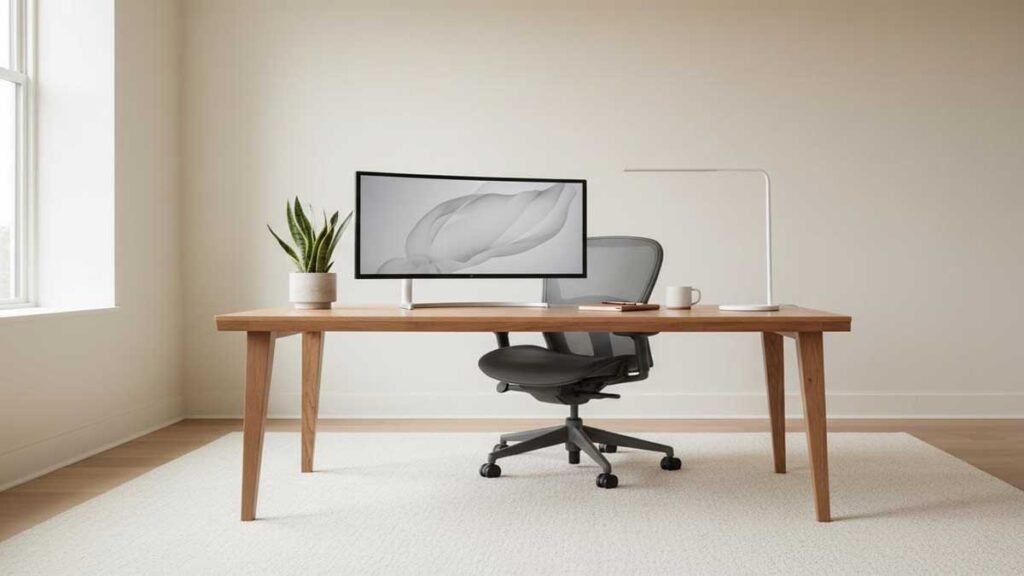
A minimalist desk may look perfect in photos but offer insufficient depth or legroom.
Measure your equipment and available room before shopping.
Assuming 30 Inches Fits Everyone
Traditional desk height is a furniture convention, not a personalized ergonomic target.
Your seated elbow height is more useful for keyboard placement.
Ignoring Desktop Thickness
A thick tabletop or built-in drawer can reduce the clearance available beneath the desk.
This matters especially when your chair must be raised.
Placing the Monitor Too Low
Monitor position should be adjusted independently from keyboard height when necessary.
A suitable monitor arm or stand can help.
Forgetting Chair and Foot Support
Raising your chair may improve keyboard reach, but your feet still need support.
Check the entire workstation before deciding that an adjustment is successful.
Choosing Width Without Checking Depth
A wide but shallow desk may still place a large monitor too close.
The right desk dimensions depend on both width and depth.
Standard Desk Height Buying Checklist
Before purchasing your next office desk, check these points:
- Does the work surface match your preferred seated keyboard height?
- Is the desk wide enough for your equipment?
- Is there sufficient depth for comfortable monitor viewing?
- Can your legs move freely underneath?
- Will your chair fit beneath the desk?
- Does the surface have comfortable edges?
- Can you arrange cables without restricting movement?
- If adjustable, does the desk offer an appropriate height range?
- Do the assembly, return, and warranty terms meet your needs?
These considerations often matter more than choosing the most fashionable desk design.
Frequently Asked Questions
What is the standard desk height in inches?
The standard desk height for many traditional office desks is approximately 29–30 inches from the floor to the top of the desktop.
What is the average desk height in the USA?
A typical traditional office desk in the United States is about 29–30 inches tall. Actual products vary, and this height isn’t necessarily ideal for every user.
What is the standard desk height in centimeters?
A desk height of 29–30 inches is approximately 73.7–76.2 centimeters.
What is the best ergonomic desk height?
The best ergonomic desk height depends on the user. For seated computer work, position the keyboard near elbow height while keeping the shoulders relaxed and wrists relatively straight.
Is 30 inches too tall for a computer desk?
It can be too tall for some people. If the keyboard makes you raise your shoulders or bend your wrists, consider adjusting the workstation.
Is a 28-inch desk a good height?
A 28-inch desk may work well for some users, but it isn’t universally appropriate. Check your seated elbow height and under-desk clearance.
How deep should a computer desk be?
Desk depth should allow the monitor to be placed at a comfortable viewing distance. OSHA recommends at least 20 inches between the eyes and the monitor, with approximately 20–40 inches generally preferred.
What desk width is best for two monitors?
It depends on monitor size and how the screens are mounted. A desk around 60 inches wide or more may provide useful flexibility, but measure your actual setup before purchasing.
Should a desk be higher or lower than your elbows?
For typing, the keyboard should generally be close to elbow height. The desktop itself may need to be slightly lower or adjusted to account for keyboard thickness and accessories.
Are adjustable desks better than standard desks?
Adjustable desks are more flexible, but a fixed desk can still be suitable when its dimensions support a comfortable workstation. The best choice depends on the user, equipment, and working routine.
Final Thoughts
The standard desk height is approximately 29–30 inches, but that measurement alone doesn’t determine whether a desk is comfortable.
Your chair height, seated elbow position, keyboard placement, monitor distance, and available legroom all matter.
If you’re buying a new computer desk, start by measuring your workspace and identifying the height at which you can type with relaxed shoulders and relatively straight wrists.
A traditional desk may be sufficient. An adjustable desk may offer greater flexibility.
Choose a workstation that fits your actual body and daily tasks rather than assuming the most common furniture dimensions will work for everyone.
References and Further Reading
- OSHA: Computer Workstations
- OSHA: Workstation Purchasing Guide
- OSHA: Monitor Positioning
- OSHA: Keyboard Ergonomics
- University of Pennsylvania: Selecting Office Furniture
The right standing desk accessories can help you position your monitor, keyboard, and other equipment more comfortably.