On This Page
A home office can quickly become a collection of tangled cables, crowded outlets, and devices that are difficult to switch off individually. Between monitors, desk lamps, phone chargers, and entertainment equipment, managing electricity at home isn’t always convenient.
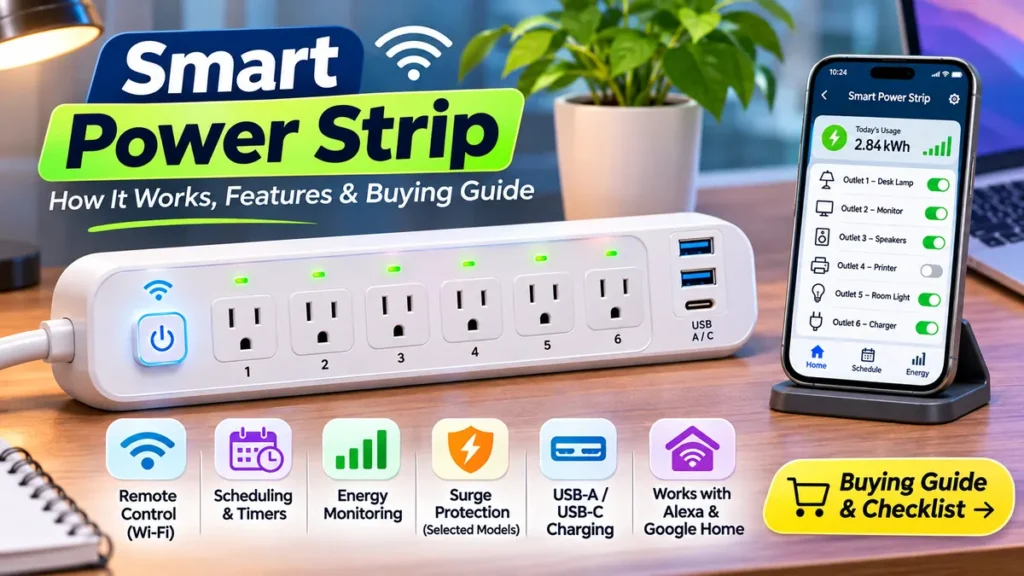
A smart power strip offers a practical way to organize compatible electronics while adding features such as remote control, automatic scheduling, and, on selected models, energy monitoring.
Unlike a traditional power strip that simply provides additional outlets, a smart power strip can let you control connected devices through a smartphone app or supported smart home platform. Some models even allow you to manage each outlet separately.
But there’s an important catch. Not every device offers the same features, and a product described as an energy-saving smart strip may work differently from a Wi-Fi model.
This guide explains how smart power strips work, their benefits and limitations, seven important features to check before buying, and how to choose a suitable product for your home.
Whether you’re organizing a workspace or building a connected entertainment setup, you’ll learn what matters before spending money.
What Is a Smart Power Strip?
A smart power strip is a multi-outlet electrical accessory that offers additional control over connected devices.
Depending on its design, it may use Wi-Fi, a compatible smart home system, sensors, or another control mechanism to manage electricity supplied to selected outlets.
A conventional power strip provides additional receptacles from one wall connection. This device adds some form of automated or remote switching.
For example, imagine a home office with a desk lamp and decorative lighting.
With a compatible Wi-Fi smart power strip, you may be able to control those lights separately through an app without reaching behind your desk.
Certain models also display electricity consumption, support voice commands, or allow different schedules for different outlets.
What Are Smart Power Strips Used For?
Common uses include:
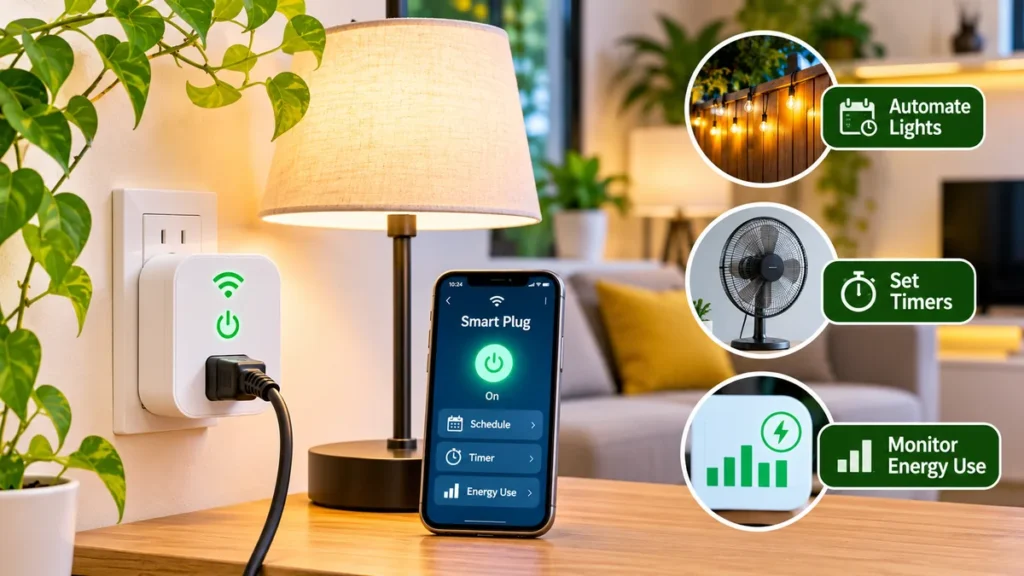
- Controlling compatible desk lamps and decorative lighting.
- Scheduling selected electronics to switch on or off.
- Managing several devices from one app.
- Monitoring electricity consumption on supported models.
- Creating routines for a home office.
- Organizing compatible entertainment accessories.
- Reducing unnecessary standby electricity use in suitable situations.
A smart power strip doesn’t make an ordinary device fully smart. It primarily controls the electricity supplied to that device.
Some electronics also require their own power buttons to be pressed after electricity is restored.
How Do Smart Power Strips Work?
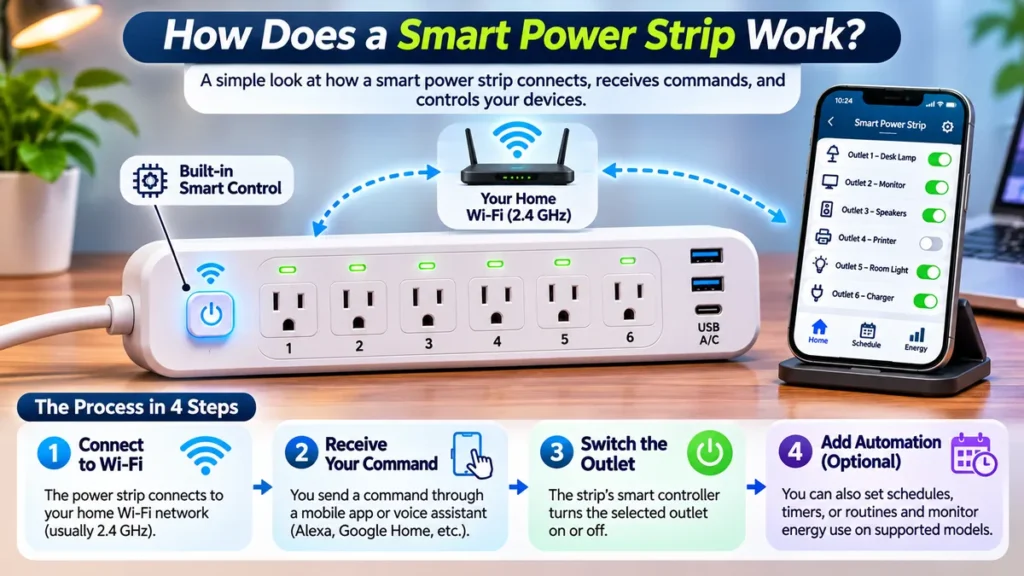
Understanding how smart power strips work starts with the switching technology inside the device.
A typical Wi-Fi smart power strip combines multiple electrical outlets with electronic controls and wireless communication hardware.
When a supported app sends a command, the strip changes the electrical state of the selected outlet.
Step 1: Connect to a Compatible Network
Many consumer Wi-Fi models use a 2.4 GHz home network, although requirements vary.
Others may work through a compatible smart home controller or supported interoperability standard.
Follow the manufacturer’s documentation to identify the required network and platform.
Step 2: Control Individual Outlets
On models with independent outlet control, each supported receptacle can have its own on/off setting.
For example, a user might switch off a desk lamp while leaving another compatible device powered.
Not every smart power strip offers independent control. Some products switch all connected outlets together, while others have a combination of controlled and always-on outlets.
Step 3: Create Automatic Schedules
A smart power strip with scheduling can switch selected devices according to saved times or compatible automation routines.
A decorative light might turn on each evening and switch off automatically later.
Features such as countdown timers, recurring schedules, and sunrise or sunset automation vary by product.
Step 4: Monitor Electricity Use
A smart power strip with energy monitoring can provide information about connected-device electricity consumption.
Some models measure individual outlets. Others provide only limited or combined measurements.
Check the specifications before assuming energy monitoring is included.
Types of Smart Power Strips
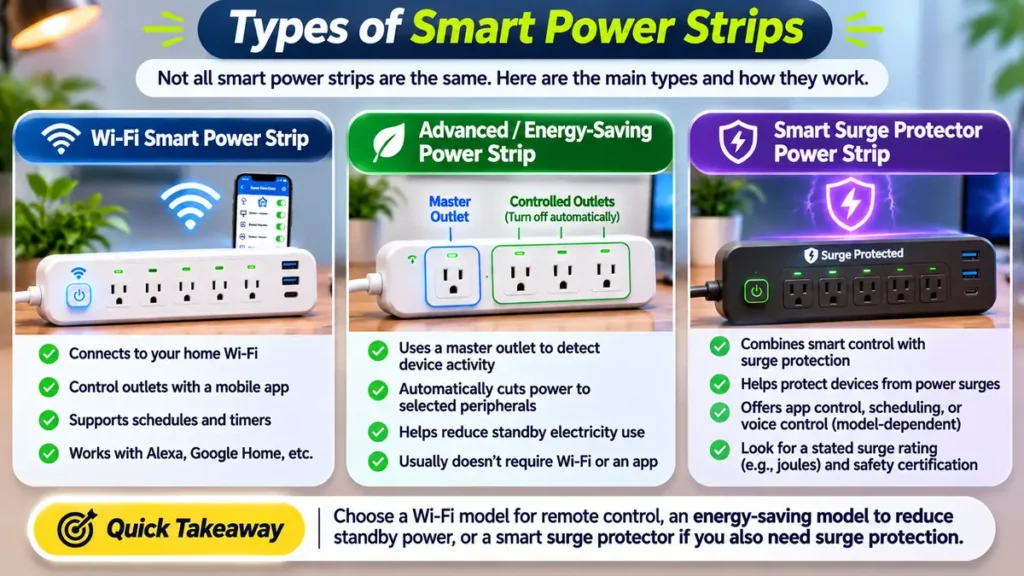
Not all products labeled smart power strips use Wi-Fi.
Understanding the major categories makes comparison shopping much easier.
1. Wi-Fi Smart Power Strip
A Wi-Fi smart power strip communicates with a compatible wireless network.
Many models provide smartphone control, timers, and voice-assistant integration.
This type is often useful for homeowners who already use smart plugs or connected lighting.
Its reliability depends on the product, network environment, and app support.
2. Advanced or Energy-Saving Power Strip
An advanced power strip may use built-in sensing technology rather than smartphone controls.
Some models detect when a primary device enters a low-power state and automatically disconnect electricity to selected peripheral outlets.
For example, certain master-controlled models are designed for a computer and suitable accessories.
These products are sometimes described using terms such as smart strip power strip or energy-saving smart power strip.
An advanced power strip isn’t necessarily Wi-Fi-enabled, and a Wi-Fi strip doesn’t necessarily include master-controlled energy-saving technology.
The U.S. Department of Energy recognizes several types of advanced power strips designed to manage unnecessary plug loads.
3. Smart Surge Protector Power Strip
A smart power strip surge protector combines smart control features with a specifically rated surge protection system.
However, the words smart and surge protector describe different functions.
One controls electricity or connected devices. The other provides a degree of protection against certain electrical surges.
Surge protection must be explicitly supported by the product’s specifications.
Smart Power Strip vs Regular Power Strip
A regular strip and a smart model may look similar, but their capabilities can be different.
| Feature | Regular Power Strip | Smart Power Strip |
|---|---|---|
| Multiple outlets | Yes | Yes |
| Smartphone control | Usually no | Available on connected models |
| Individual outlet control | Usually no | Model-dependent |
| Automatic scheduling | Usually no | Available on selected models |
| Voice assistant support | No | Model-dependent |
| Energy monitoring | Usually no | Optional |
| Surge protection | Optional | Optional |
| Internet requirement | No | Depends on technology |
A standard power strip can be adequate when you simply need additional properly rated outlets.
Choose a smart power strip when remote control, schedules, or electricity monitoring will genuinely improve the way you use compatible devices.
Buying additional technology for a feature you’ll never use rarely provides much value.
7 Essential Smart Power Strip Features to Check Before Buying
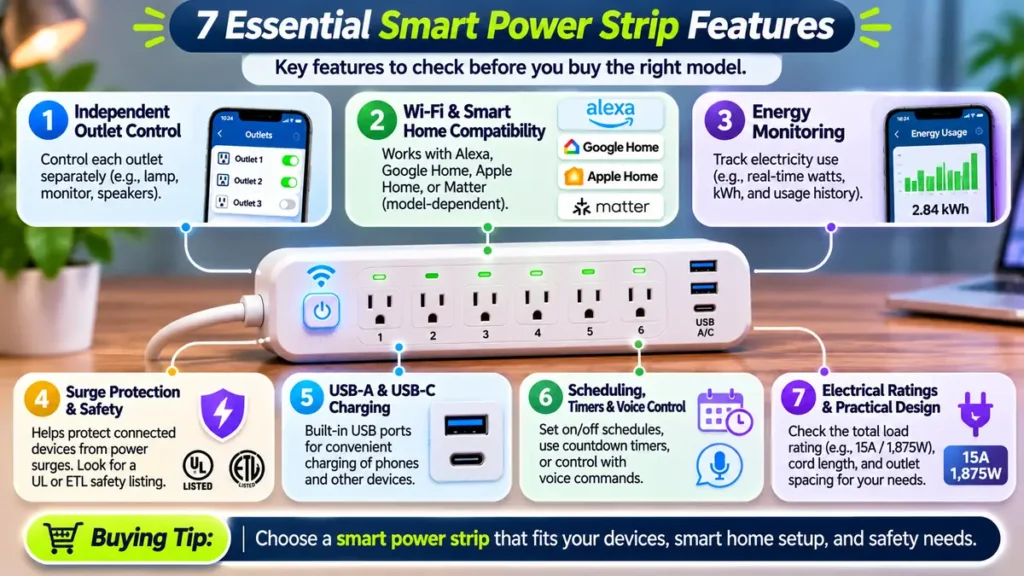
Choosing a smart power strip involves more than counting outlets.
Some models appear similar in product photos but offer completely different control options, monitoring capabilities, and safety specifications.
These seven features deserve attention.
1. Independent Outlet Control
One of the biggest benefits of a smart power strip is the ability to control connected devices individually.
For example, a model with six independently controlled receptacles may allow six different switching schedules.
But a product with six outlets doesn’t necessarily offer six separate smart controls.
Before purchasing, verify:
- How many AC outlets are individually controlled.
- Whether any outlets are always powered.
- Whether schedules can be assigned separately.
- Whether outlet names can be customized.
- Whether physical control buttons are available.
Independent control is particularly useful when connected accessories follow different routines.
2. Wi-Fi and Smart Home Compatibility
A smart power strip should work with the network and smart home platform you actually use.
Check whether the model supports Amazon Alexa, Google Home, Apple Home, or another preferred ecosystem.
Compatibility isn’t universal.
Some products rely on a manufacturer’s app, while others support broader integration through Matter.
A Matter-compatible connected strip may work across multiple supported platforms, but you still need to verify the exact model and required controllers.
Don’t assume that a device supports Apple Home simply because it works with Alexa.
3. Energy Monitoring
A smart power strip with energy monitoring can help you understand electricity use.
Depending on the model, the app may show current wattage, accumulated kilowatt-hours, or historical consumption.
For example, tracking an appropriate home office accessory could reveal whether it consumes electricity during periods when you aren’t using it.
Look for clear specifications explaining whether monitoring covers:
- Individual AC outlets.
- Total strip consumption.
- Real-time power readings.
- Historical energy usage.
- Downloadable or saved reports.
Some models only provide basic switching without energy reports.
4. Surge Protection and Safety Certification
Surge protection is important when selecting an electrical accessory for compatible electronics.
However, a smart power strip doesn’t automatically include a surge protector.
Look for explicit surge protection specifications, appropriate safety certification, and clearly stated electrical ratings.
For U.S. products, recognizable listing marks may include UL Listed or ETL Listed, depending on the applicable testing and certification.
A product’s certification, surge protection rating, and equipment compatibility should be checked separately.
Even a surge-protected model cannot guarantee protection against every electrical event.
5. USB-A and USB-C Charging Options
Some smart power strips include USB charging ports alongside conventional AC receptacles.
This can be convenient for compatible phones or smaller USB-powered accessories.
However, USB ports differ in output capacity and control behavior.
A USB-C connector doesn’t automatically mean the product supports USB Power Delivery or high-speed charging.
Also, USB ports may remain powered even when nearby AC outlets are switched off.
Check the USB specifications rather than relying on appearance.
6. Scheduling, Timers, and Voice Control
A smart power strip with scheduling may make everyday lighting routines more convenient.
Useful features can include:
- Daily or weekly schedules.
- Countdown timers.
- Supported voice commands.
- Group controls.
- Smart home scenes.
It’s worth checking whether schedules continue to function during an internet outage.
Some products store certain schedules locally, while other functions depend on remote services.
Choose based on your household’s actual needs.
7. Electrical Ratings, Cord Length, and Outlet Spacing
Physical compatibility is just as important as smart features.
Check the electrical ratings for the exact U.S. model, including voltage, current, and maximum combined load.
The combined electrical load must remain within the strip’s stated limits. Each device must also be approved for use with the strip.
Other practical considerations include cord length, plug orientation, outlet spacing, and the amount of space available around the strip.
Larger power adapters can obstruct neighboring outlets.
Choose a product that fits the intended location without bending, crushing, or concealing its cord.
Smart Power Strip With Energy Monitoring: Is It Worth It?
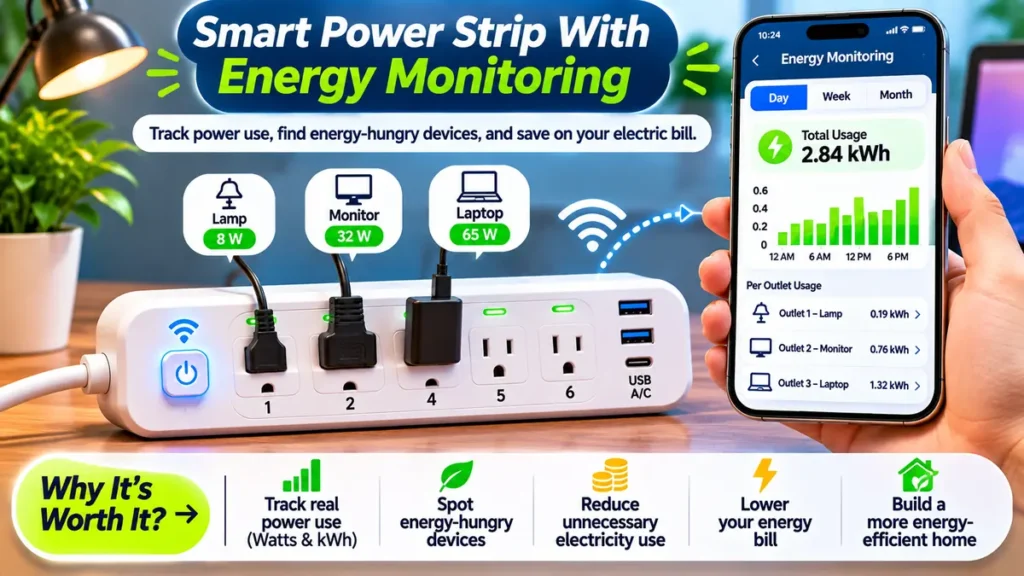
An energy-monitoring model can be useful when you want better information about electricity use.
For example, you might want to compare the consumption of suitable home office accessories during different parts of the day.
An app that displays energy usage can make those patterns easier to understand.
But monitoring alone doesn’t reduce electricity consumption.
You need to identify avoidable usage and make an appropriate change.
What Should You Look for in Energy Reports?
Consider three main measurements.
Watts (W): The rate at which a device is using electrical power at a particular moment.
Kilowatt-hours (kWh): The quantity of electricity consumed over time.
Usage history: A record that helps you compare energy consumption across periods.
A smart power strip with energy monitoring may report some or all of these measurements.
If you want to compare electricity bills with device-level data, remember that consumer monitoring tools aren’t necessarily certified for billing purposes.
Can a Smart Power Strip Save Electricity?
Yes, but savings depend on the connected devices and how electricity is managed.
A smart power strip may reduce unnecessary consumption by disconnecting power to suitable equipment that would otherwise remain in standby.
However, not every electronic device consumes significant standby electricity.
Some devices also need continuous power for important functions.
According to the U.S. Department of Energy, certain products continue consuming electricity even when they appear to be switched off.
This is known as standby power.
Does Every Energy Saving Smart Power Strip Work the Same Way?
No.
A master-controlled advanced strip may detect the state of a primary device and automatically disconnect selected accessories.
A Wi-Fi model may rely on manually created schedules.
Another smart power strip may simply provide remote switching without monitoring or automatic energy-saving features.
Are Electricity Savings Guaranteed?
No.
Savings depend on how much unnecessary electricity the connected devices consume, how often they are switched off, and the strip’s own power consumption.
For some households, convenience will be a more noticeable benefit than lower utility bills.
Avoid buying a smart power strip solely because an advertisement promises major savings without explaining the assumptions behind the claim.
Smart Power Strip vs Surge Protector
This is one of the most important distinctions in a smart power strip buying guide.
A surge protector and a smart-controlled power strip serve different purposes.
A smart model provides switching, automation, or monitoring features.
A surge protector is designed to limit certain transient overvoltages according to its specifications.
A single device can provide both functions, but one does not guarantee the other.
| Buying Question | What to Verify |
|---|---|
| Does it have smart controls? | App, scheduling, and outlet-control features |
| Does it offer surge protection? | Explicit surge protection specifications |
| Is it independently certified? | Relevant UL or ETL listing |
| Can it monitor electricity? | Model-specific energy-monitoring support |
| Is it suitable for your devices? | Electrical ratings and manufacturer instructions |
If you’re researching the connected strip with surge protection, focus on documented safety features rather than marketing terms.
The Electrical Safety Foundation International explains that a basic power strip isn’t necessarily a surge protector.
Smart Power Strip vs Smart Plug: Which Is Better?
A smart power strip and a standalone smart plug can both add control to suitable electrical equipment.
The main difference is how many devices they can manage.
| Feature | Smart Plug | Smart Power Strip |
|---|---|---|
| Typical AC outlets | One | Several |
| Space requirements | Small | Larger |
| Individual control | One connected outlet | Multiple on selected models |
| Energy monitoring | Model-dependent | Model-dependent |
| Good for | Individual lamps | Multiple compatible accessories |
| Surge protection | Not guaranteed | Not guaranteed |
If you only want to control one lamp, a standalone plug may be the simpler option.
If several compatible accessories need separate schedules, a smart power strip may be more convenient.
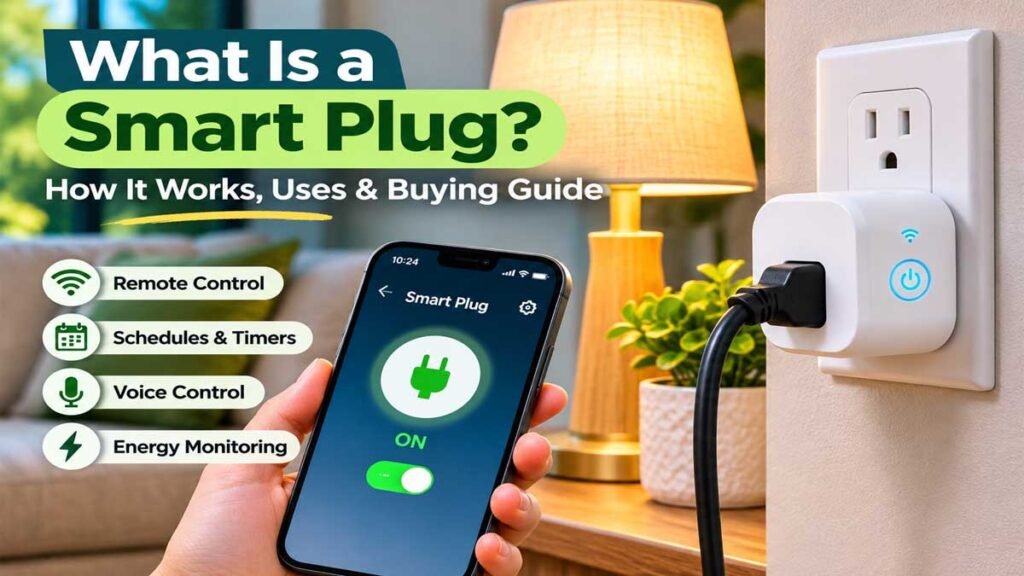
For a detailed introduction to single-outlet devices, read our guide on what a smart plug is.
The two products aren’t interchangeable in every situation. Always consider electrical capacity and the connected equipment.
Best Uses for a Smart Power Strip in a Home Office
A home office is one of the most practical locations for a smart power strip.
Desks often contain several compatible accessories, and some may only be needed during working hours.
Desk Lamps and Accent Lighting
A smart power strip with independent controls can let you manage suitable desk and accent lights separately.
For example, one light may be useful during daytime work, while another is reserved for evening reading.
Schedules can make those routines more convenient.
Peripheral Accessories
Certain nonessential peripherals may be appropriate for controlled power switching if their manufacturers permit it.
However, equipment that needs proper shutdown procedures should not be abruptly disconnected through automatic schedules.
Computers, network equipment, and storage devices may require continuous power or controlled shutdown.
A More Organized Desk Setup
A smart power strip can be part of a well-organized workspace, but it won’t solve every cable-management problem.
Good furniture placement, suitable cable routing, and accessible electrical connections still matter.
Our standard desk height guide covers desk dimensions and workspace comfort considerations.
Entertainment Area Applications
Compatible decorative lighting and selected entertainment accessories may also benefit from scheduling.
Avoid automatically interrupting equipment that requires a safe shutdown sequence or continuous power, including certain recording devices and network systems.
The goal is convenient control of suitable equipment, not switching every electronic device off indiscriminately.
Kasa HS300 Smart Power Strip: A Real Product Example
The <a href=”https://www.tp-link.com/us/home-networking/smart-plug/hs300/v1/“>TP-Link Kasa HS300 Smart Wi-Fi Power Strip</a> is a useful example of a feature-rich connected power strip.
According to TP-Link’s published U.S. specifications, the HS300 includes:
- Six independently controlled AC outlets.
- Three USB charging ports.
- Energy monitoring for its smart AC outlets.
- App-based remote control and scheduling.
- Alexa and Google Assistant support.
- Built-in surge protection.
- A secured 2.4 GHz Wi-Fi connection requirement.
TP-Link lists a 15-amp, 1,875-watt maximum combined load for the U.S. model.
That figure applies to the strip’s total rated output, not to every outlet individually.
The manufacturer also states that the product is designed for indoor use.
What Makes the HS300 Useful as an Example?
It demonstrates how several smart power strip features can exist in one product.
Independent controls, electricity monitoring, and USB ports are clearly documented.
However, this doesn’t mean every Kasa model or every competing power accessory includes the same functions.
The HS300 is included here as a specification-based example, not as a personally tested product recommendation.
Before purchasing, confirm current availability, hardware version, and compatibility with your preferred smart home platform.
Smart Power Strip Safety: Common Mistakes to Avoid
A smart power strip should be treated as an electrical accessory, not as a way to increase the capacity of an existing electrical circuit.
For households in the United States, several basic safety principles are especially important.
Don’t Connect High-Heat Appliances
Portable space heaters should be connected directly to suitable wall outlets, not through power strips.
The U.S. Consumer Product Safety Commission specifically warns against using power strips or extension cords for portable electric heaters.
Avoid connecting irons, electric blankets, and other heat-producing equipment unless the product manufacturers explicitly permit the intended arrangement. Such appliances should never be casually automated for unattended operation.
Avoid Daisy-Chaining Power Strips
Don’t connect multiple power strips, surge protectors, or extension cords together.
For example, TP-Link states that its HS300 should connect directly to a grounded wall receptacle rather than another power strip or UPS.
Respect Electrical Ratings
More receptacles do not create more available electrical power.
The total connected load must remain within the strip’s approved limits and the electrical circuit’s capacity.
Keep Essential Equipment Powered Appropriately
Medical devices and equipment requiring uninterrupted electricity should not be controlled through ordinary smart power strips.
Likewise, don’t create schedules that unexpectedly disconnect refrigerators, freezers, or essential networking equipment.
Inspect the Product and Its Location
Avoid using damaged cords, loose connections, or products with signs of overheating.
Keep electrical accessories dry, accessible, and appropriately ventilated.
Use only products approved for the intended location. Most standard indoor models are not suitable for outdoor exposure.
If an outlet is damaged or presents an electrical concern, seek help from a qualified electrician.
Smart Power Strip Buying Checklist
Before choosing a model, work through this simple checklist.
- The product has an appropriate recognized safety listing.
- Its electrical ratings match the intended equipment.
- It has enough AC outlets for your needs.
- The required outlets support independent control.
- Its Wi-Fi and smart home compatibility are clearly documented.
- Energy monitoring is available if you need it.
- Surge protection is explicitly included if required.
- USB charging specifications meet your needs.
- Cord length and outlet spacing suit the location.
- The manufacturer’s support and warranty information are available.
A smart power strip that meets your actual needs is usually a better choice than one with more features you won’t use.
Frequently Asked Questions
What is a smart power strip used for?
A smart power strip is used to provide multiple electrical outlets while adding features such as remote switching, scheduling, or electricity monitoring. It is commonly considered for compatible lighting and selected home office accessories.
How do smart power strips work?
They control electricity supplied to connected outlets using electronic switching mechanisms. Connected models may receive commands through Wi-Fi or supported smart home systems, while advanced energy-saving models may use sensing technology.
Is a smart power strip better than a regular power strip?
It depends on your needs. A regular strip may be sufficient for basic power distribution. A smart power strip can be worthwhile when you need independent outlet controls, schedules, or monitoring.
Do smart power strips save electricity?
They can help reduce unnecessary standby consumption when used with suitable equipment. Actual savings vary and must account for the strip’s own electricity consumption.
Does a smart power strip need Wi-Fi?
Not always. Wi-Fi models generally need a compatible network, but some advanced power strips use built-in sensors or other controls rather than internet connectivity.
Can smart power strips work with Alexa?
Some models support Amazon Alexa, Google Home, or other platforms. Compatibility is model-specific, so check the manufacturer’s product documentation.
Is a smart power strip also a surge protector?
Not necessarily. A smart power strip surge protector includes both functions, but a basic smart model may not offer surge protection. Check the product’s explicit specifications and safety certification.
Can I connect a computer to a smart power strip?
Only when the manufacturer’s instructions and the equipment’s electrical requirements permit the arrangement. Avoid automatic switching that could interrupt a computer while it is operating or prevent a proper shutdown.
Do smart power strips have USB-C ports?
Some models include USB-C, while others provide USB-A ports or no USB charging at all. Check charging output and compatibility before purchasing.
What’s the difference between a smart plug power strip and a smart outlet?
A smart power strip provides several outlets in one plug-in accessory. A smart outlet is generally a permanently installed receptacle with built-in connected controls.
Is a smart power strip with energy monitoring worth buying?
It can be useful if you want to understand electricity consumption across compatible devices. But a monitoring feature doesn’t guarantee lower bills or justify a higher purchase price for every household.
How many devices can a smart power strip control?
The number depends on the model. Some products provide several individually controlled AC outlets, while others switch multiple outlets together. The total electrical load must remain within the manufacturer’s limits.
Final Thoughts
A smart power strip can be a convenient addition to a connected home, especially when several compatible devices need different schedules or individual controls.
The most useful features depend on your situation. For some buyers, independent outlet switching is the main attraction. Others may value electricity monitoring, smart home compatibility, or verified surge protection.
Don’t assume all models offer the same capabilities.
Before buying, check electrical safety certification, total load ratings, network requirements, and the specific devices you intend to connect.
A well-chosen set of these devices should make your setup easier to manage while remaining appropriate for your household’s electrical needs.
References & Sources
The information in this guide is supported by the following manufacturer documentation, U.S. government resources, and recognized electrical safety organizations.
- TP-Link – Kasa Smart Wi-Fi Power Strip HS300
Official product specifications covering independent outlet control, energy monitoring, surge protection, USB ports, and electrical ratings.
TP-Link Official Product Specifications - U.S. Department of Energy – Measuring Standby Power
Explains how electronic devices consume electricity in standby mode and how standby power is measured.
U.S. Department of Energy - Electrical Safety Foundation International (ESFI)
Provides guidance about power strips, surge protectors, and electrical safety considerations.
ESFI – Surge Protector or Power Strip? - U.S. Consumer Product Safety Commission (CPSC)
Provides important electrical safety advice, including precautions concerning portable electric heaters and power strips.
CPSC – Home Heating Safety - Intertek – ETL Listed Mark Certification
Explains independent electrical product testing and certification to recognized safety standards.
Intertek – ETL Certification