On This Page
Imagine turning off your living room lamp without leaving the couch. Or having your holiday lights switch on automatically every evening, even when you’re away from home.
You don’t necessarily need expensive smart appliances to make that happen. Sometimes, a small device that plugs into a standard wall outlet is enough.
So, what is a smart plug, and what can it actually do?
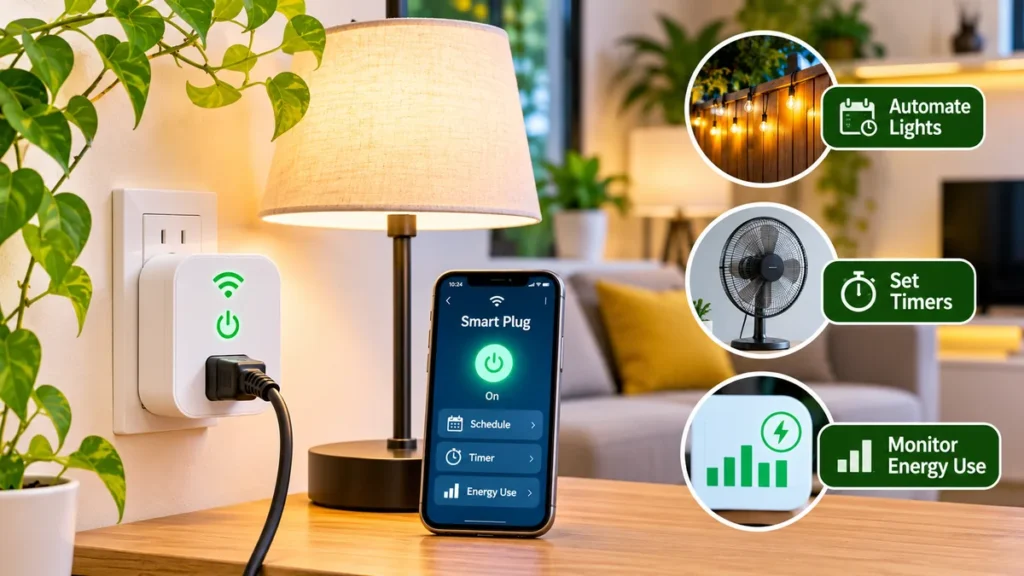
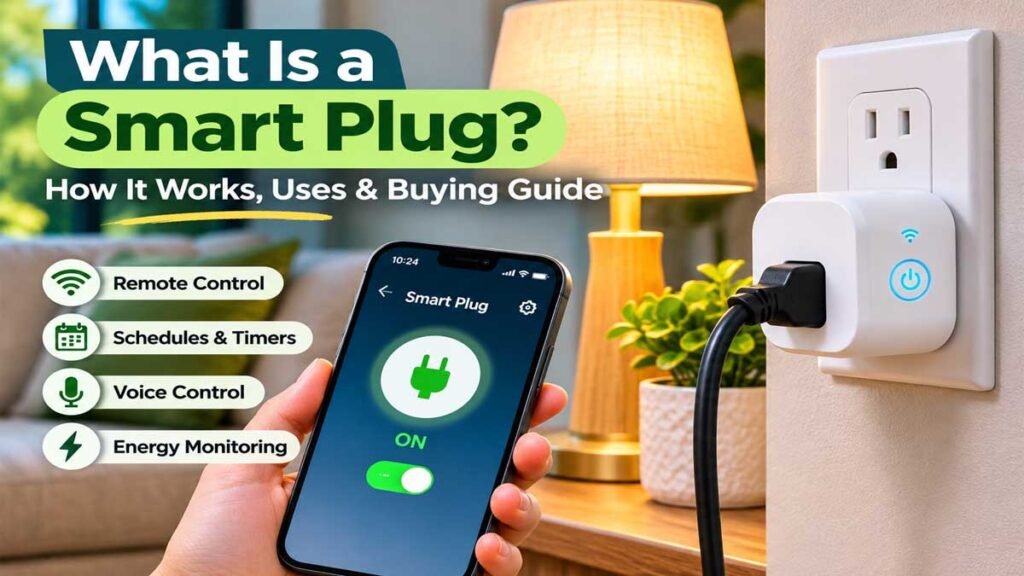
A smart plug is a small electronic device that connects to a wall outlet and lets you control the electricity supplied to a compatible appliance. Depending on the model, you can use a smartphone app, voice assistant, or automatic schedule to turn connected devices on and off.
It’s one of the simplest ways to add basic smart home control without replacing furniture, rewiring outlets, or investing in a full home automation system.
Still, not every smart plug works the same way. Some connect directly to Wi-Fi, others use Thread or a compatible hub, and only certain models monitor electricity consumption.
This guide explains how smart plugs work, their most useful applications, important safety limitations, and what American households should consider before buying one.
What Is a Smart Plug?
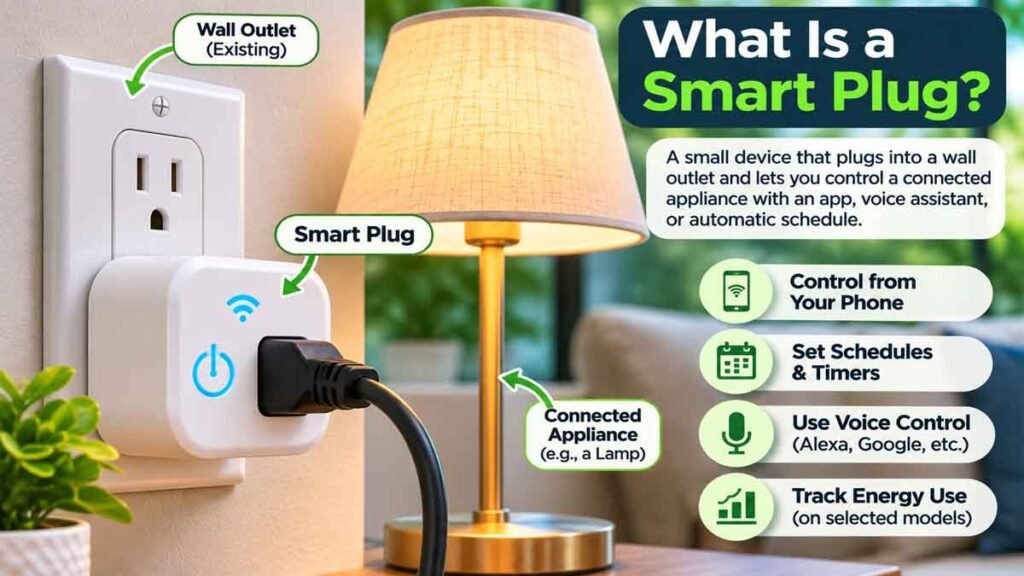
A smart plug is a plug-in device that adds remote on/off control to a compatible electrical appliance.
It fits between a standard wall outlet and the appliance’s power cord. Instead of relying entirely on the appliance’s physical switch, you can control the flow of electricity through a connected app or supported smart home system.
For example, suppose you have a traditional table lamp with a physical on/off switch.
After connecting it through a compatible smart plug and completing the manufacturer’s setup, you may be able to turn that lamp on or off from your phone.
Some models also support automatic schedules.
You might schedule the lamp to switch on at sunset and turn off before bedtime.
The lamp itself doesn’t become a fully featured smart light. The plug simply controls its electrical supply.
Want more ideas for your smart home? Explore our guide to 15 smart plug uses for practical lighting automation, energy monitoring, and everyday routines.
What Does a Smart Plug Do?
Depending on the product, common features include:
- Remote on/off control from a smartphone.
- Automatic timers and daily schedules.
- Voice control through compatible assistants.
- Smart home routines and automation.
- Energy monitoring on selected models.
- Group control with other compatible devices.
- Away-mode scheduling on certain products.
The available features depend on the model, app, network connection, and smart home platform.
A basic smart plug doesn’t automatically add brightness adjustment, temperature control, or other advanced functions to an ordinary appliance.
How Does a Smart Plug Work?
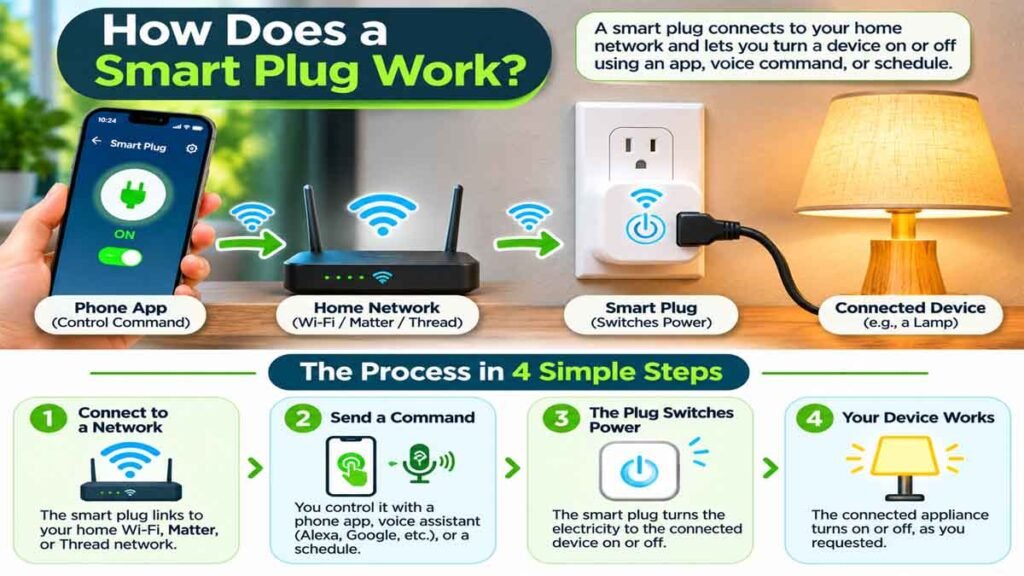
Understanding what smart plug technology is becomes easier when you look at its basic components.
Inside the device is an electronically controlled switch, along with communication hardware and circuitry.
The switch controls whether electrical power can pass through the plug to the connected appliance.
Step 1: The Plug Connects to a Network
Many consumer models use a household Wi-Fi network.
Others communicate through Thread, Zigbee, or another technology that may require a compatible hub or controller.
A typical Wi-Fi smart plug connects to a supported wireless network and is managed through the manufacturer’s app.
Step 2: You Send a Command
A command might come from:
- A smartphone app.
- A compatible voice assistant.
- A saved schedule.
- A smart home automation routine.
The control system communicates with the plug and requests a change in its power state.
Step 3: The Plug Switches Power
The internal switching mechanism opens or closes the electrical connection.
When the plug supplies power, the connected appliance can operate, provided its own controls are in the appropriate position.
When the plug stops supplying power, the appliance turns off.
Important: Some appliances remain off after their power supply is restored and require someone to press a button. Smart plugs generally work best with suitable devices that can resume operation safely when power returns.
Types of Smart Plugs Explained
Before choosing a model, it helps to understand the main technologies you’ll see while shopping.
| Smart Plug Type | How It Connects | Best Consideration |
|---|---|---|
| Wi-Fi Smart Plug | Compatible home Wi-Fi network | Straightforward app-based control |
| Matter over Wi-Fi | Wi-Fi with Matter support | Compatibility across supported platforms |
| Matter over Thread | Thread network with suitable controller infrastructure | Local smart home communication |
| Zigbee Smart Plug | Zigbee network, generally with a compatible hub | Existing Zigbee installations |
| Energy-Monitoring Plug | Wi-Fi, Thread, or another supported network | Tracking connected-device electricity use |
These categories can overlap. For example, a Matter-compatible product can use Wi-Fi or Thread.
Wi-Fi Smart Plug
A Wi-Fi smart plug is often a practical starting point for beginners.
Many models work through a dedicated smartphone app and do not require a separate proprietary hub.
However, some support only 2.4 GHz Wi-Fi, so checking router compatibility is important.
Matter-Compatible Smart Plug
Matter is a smart home interoperability standard designed to help compatible products work across supported ecosystems.
A Matter-certified smart plug may work with platforms such as Apple Home, Amazon Alexa, or Google Home, depending on the device and controller requirements.
Matter isn’t the same thing as Wi-Fi. It can operate over supported technologies, including Wi-Fi and Thread.
Thread-Based Smart Plug
Thread is a low-power networking technology designed for connected devices.
A Thread-based plug generally needs suitable Thread network infrastructure for full smart home operation.
Certain Apple, Google, and Amazon controllers incorporate Thread border-router capabilities, but requirements vary by model.
If you are unfamiliar with Thread, choosing a straightforward Wi-Fi model may be easier for a first purchase.
10 Practical Smart Plug Uses for Everyday Homes

If you’re wondering what a smart plug is useful for, start with everyday situations rather than complicated automation projects.
Here are ten practical examples that can make a home more convenient.
1. Control a Living Room Lamp From Your Phone
Traditional lamps are among the clearest examples of smart plug usefulness.
With a compatible lamp, you can turn the light on or off using a smartphone instead of reaching behind furniture for a switch.
This is particularly convenient when the lamp is positioned in a corner or behind a sofa.
A smart plug doesn’t usually change the lamp’s brightness or color. For those features, consider compatible dimmable lighting equipment or smart bulbs.
2. Schedule Decorative Lighting
Decorative lights can be easy to forget.
A compatible smart plug lets you create a schedule for indoor accent lights, illuminated displays, or similar approved devices.
For instance, you might want soft decorative lighting to operate during your normal evening hours.
The schedule can handle that routine automatically.
Use appropriate electrical ratings and products intended for the location.
3. Automate Holiday Lights
Holiday lighting is another practical application.
You can arrange for suitable indoor holiday lights to turn on during the evening and turn off at a predetermined time.
This reduces the need to switch them manually every day.
For outdoor decorations, use products specifically rated for outdoor conditions and follow the lighting manufacturer’s electrical guidance.
An indoor-rated smart plug should never be exposed to rain or other conditions outside its approved use.
4. Make a Home Office Lamp Easier to Control
A desk lamp can be inconvenient when its switch is positioned behind a monitor or on the floor.
A compatible smart plug can make it easier to control through an app or routine.
You could schedule the lamp to turn on before your usual work session and turn off afterward.
For a more comfortable workspace, combine practical lighting with suitable desk dimensions. Our guide to standard desk height explains common desk measurements and ergonomic considerations.
5. Create a Simple Morning Lighting Routine
Not everyone wants bright overhead lights immediately after waking.
A scheduled bedside or hallway lamp can create a gentler morning lighting routine.
For example, a compatible lamp might switch on shortly before your regular morning activities.
Make sure the connected lamp is suitable for unattended scheduled operation and doesn’t require unsafe automatic restarting.
6. Control a Floor Lamp Behind Furniture
Floor lamps frequently end up behind couches, reading chairs, or bookshelves.
Their switches aren’t always easy to access.
A remote control can be particularly useful in these locations.
Just make sure the plug remains accessible, has appropriate clearance, and isn’t damaged or concealed by furniture.
7. Manage a Reading Corner
A reading corner might contain a table lamp and decorative accent lighting.
Compatible devices can sometimes be grouped inside a smart home app.
Instead of controlling each lamp separately, you may be able to switch several approved devices through one scene or command.
The grouping feature depends on the smart home platform and participating products.
8. Support Simple Home Lighting Automation
A smart plug can become part of a broader home automation system.
For example, a lighting routine may involve several connected devices switching on at an established time.
Other automations can respond to supported sensors or actions when the platform permits them.
Beginners should start with simple schedules before introducing complicated conditions.
9. Track Electricity Consumption
Some models include energy monitoring.
These devices can measure or estimate how much electricity a connected appliance consumes and display the information through an app.
This feature is helpful when comparing the electricity use of appropriate household devices.
Keep in mind that not every model offers energy monitoring, and the measurements are not necessarily utility-billing-grade.
10. Make Everyday Lighting More Convenient
Perhaps the best use is also the simplest.
Instead of replacing multiple lamps, you can add limited remote control to existing compatible lighting.
That convenience can be especially appealing in apartments, rental homes, and small living spaces where major electrical changes aren’t practical.
The important part is choosing a device that is suitable for the appliance and its intended use.
Smart Plug vs Smart Outlet: What’s the Difference?
Although people sometimes use these terms interchangeably, they usually refer to different products.
A smart plug is a removable accessory that connects to an existing wall outlet.
A smart outlet replaces or incorporates the electrical receptacle itself.
| Feature | Smart Plug | Smart Outlet |
|---|---|---|
| Installation | Plug-in accessory | Electrical installation |
| Portable | Usually yes | No |
| Ideal for renters | Often convenient | Depends on property rules |
| Smartphone control | Model-dependent | Model-dependent |
| Visual appearance | Extends from wall outlet | Built into wall |
| Professional installation | Generally not needed for plug-in use | Often appropriate or required |
A smart plug is often the simpler choice when you want basic control over one existing appliance.
A permanently installed smart outlet may be appropriate for a planned home upgrade, but electrical installation should be handled by a qualified professional following applicable codes.
Smart Plug vs Smart Power Strip
Another common question is whether to buy one smart plug or a smart power strip.
The answer depends primarily on how many compatible devices need independent control.
A regular smart plug typically provides one controlled receptacle.
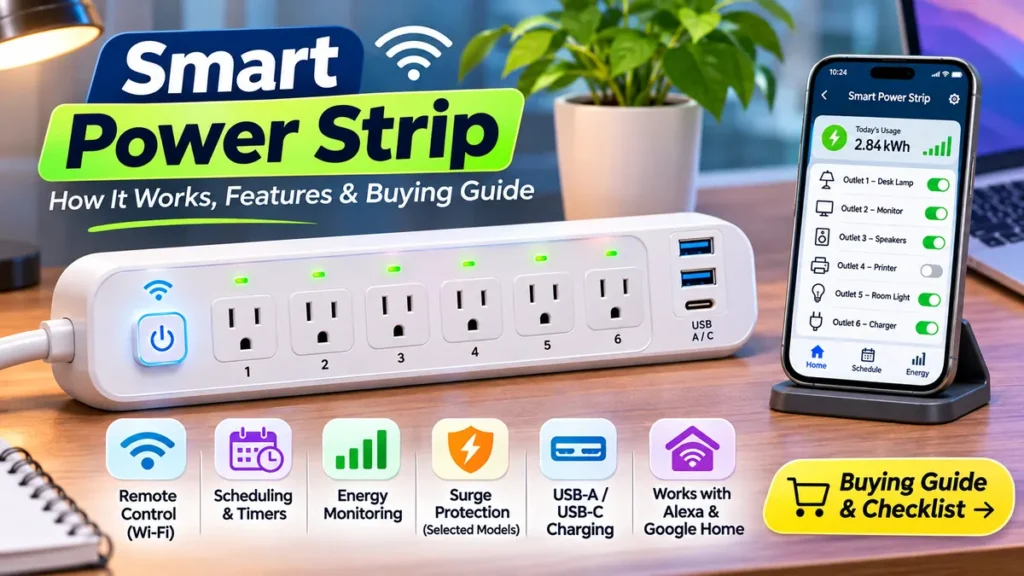
A smart power strip may provide several outlets, although not every outlet is necessarily controlled separately.
| Feature | Smart Plug | Smart Power Strip |
|---|---|---|
| Controlled receptacles | Usually one | Several, depending on model |
| Space required | Compact | Larger footprint |
| Ideal location | Individual lamp or device | Desk or entertainment area |
| Independent outlet control | One device | Available on certain models |
| Energy monitoring | Optional | Optional |
| Surge protection | Not guaranteed | Not guaranteed |
A smart power strip doesn’t automatically include surge protection.
Likewise, the presence of multiple outlets doesn’t mean every receptacle has its own scheduling controls.
Always check the specifications rather than relying on the product name.
Can a Smart Plug Save Electricity?
Smart plugs can help reduce unnecessary electricity consumption in certain situations, but savings aren’t automatic.
The biggest benefit comes from controlling equipment that would otherwise use power when it isn’t needed.
For example, a device might continue consuming standby electricity after appearing to be switched off.
According to the U.S. Department of Energy, this type of consumption is called standby power.
A smart plug may help limit some unnecessary standby consumption by disconnecting power when appropriate.
However, there are important limitations.
First, the smart plug itself consumes some electricity to remain connected and operate its electronics.
Second, the connected appliance may need continuous power for important functions.
Third, switching an appliance off doesn’t guarantee a meaningful reduction in your electric bill.
Energy Monitoring vs Energy Savings
These terms are different.
Energy monitoring means measuring or estimating electricity consumption.
Energy savings means actually reducing the amount of electricity used.
A smart plug with energy monitoring can help you identify patterns, but whether those measurements translate into savings depends on how you change your habits.
For practical electricity tracking, look for a model that reports kilowatt-hours (kWh), not simply an on/off status.
How to Choose the Right Smart Plug

Now that you understand what a smart plug is, the next step is choosing one that fits your home.
Don’t focus only on the brand or the number of features advertised.
The right product should be compatible with your equipment, network, and preferred control system.
1. Check Electrical Ratings
Look at the supported voltage, current, and maximum load.
For U.S. households, choose a model specifically rated for the intended electrical supply and compatible appliance.
The plug’s rated capacity must be appropriate for the connected equipment.
Never assume that a smart plug is suitable for every device simply because the appliance’s power cord fits.
2. Look for Recognized Safety Certification
Choose products that carry an appropriate certification or listing mark from a recognized testing organization, such as UL or ETL, where applicable.
Check the actual product and model rather than trusting an unsupported listing claim.
Avoid damaged, questionable, or unidentified electrical accessories.
3. Verify Wi-Fi Compatibility
Many Wi-Fi models use 2.4 GHz networks.
If your home router combines multiple bands, consult the manufacturer’s setup guidance to confirm compatibility.
A device advertised as Wi-Fi-enabled may still have network requirements that affect installation.
4. Check Smart Home Platform Support
If you use Amazon Alexa, Google Home, or Apple Home, verify support for that specific platform.
Don’t assume every smart plug works with all three.
Matter-compatible products may provide broader interoperability, but the actual controller and networking requirements still matter.
5. Decide Whether You Need Energy Monitoring
A basic remote control outlet may be enough for a desk lamp.
If you want electricity usage reports, look for a model that explicitly supports power or energy monitoring.
Check whether it displays current wattage, historical consumption, kWh totals, or other measurements.
6. Consider Size and Outlet Placement
Some large plug-in devices can obstruct the second receptacle in a standard U.S. duplex outlet.
A compact design is useful when space is limited.
Check the dimensions before buying, especially for outlets behind desks or furniture.
7. Review App Support and Privacy
Connected devices may require an account, smartphone permissions, or cloud services.
Read the manufacturer’s privacy information, software support policy, and update options.
It is also worth checking whether basic schedules work during temporary internet outages.
8. Consider the Brand and Product Support
Brands such as Kasa, Govee, and other smart home manufacturers offer products with different capabilities.
If you’re searching for a Govee smart plug, examine the exact model’s supported platforms, power ratings, networking requirements, and energy-monitoring features.
Brand familiarity alone doesn’t establish that one particular model is suitable for your household.
How to Set Up a Smart Plug
For most consumer plug-in devices, the general setup process is straightforward.
The exact procedure depends on the manufacturer.
- Read the product instructions and confirm the electrical ratings and intended use.
- Install the official app or prepare the supported smart home platform.
- Follow the manufacturer’s pairing instructions using the required Wi-Fi network or compatible controller.
- Give the plug a recognizable name, such as “Living Room Lamp.”
- Test basic control with an appropriate, low-power device.
- Configure optional schedules or supported routines.
A Matter-enabled product may use a pairing code instead of a traditional manufacturer-only setup process.
Avoid changing electrical wiring or opening the device. If an outlet is damaged, loose, or unusually warm, stop using it and contact a qualified electrician.
Wi-Fi vs Matter vs Thread: Which Is Better?
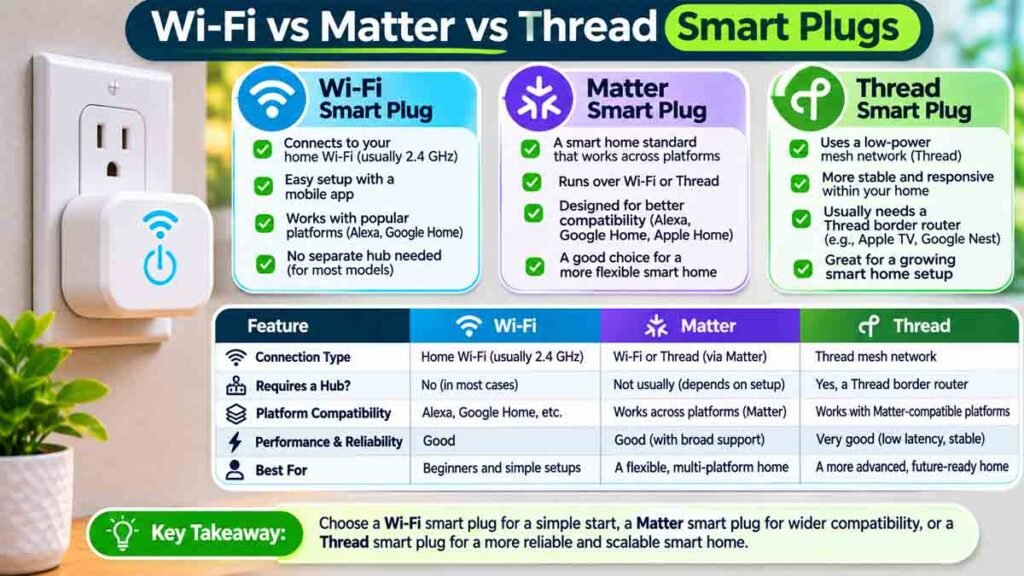
These terms can sound confusing because they describe different aspects of smart home connectivity.
Wi-Fi is a wireless networking technology.
Thread is another networking technology used by compatible connected devices.
Matter is an interoperability standard that can work over supported networks such as Wi-Fi and Thread.
For a beginner who wants to control one lamp, a Wi-Fi model with a well-supported app may be sufficient.
If your home already uses several smart home platforms, Matter compatibility may be worth prioritizing.
If you choose a Matter-over-Thread plug, check whether your home has the necessary Thread network infrastructure.
The Connectivity Standards Alliance explains how Matter supports multiple communication technologies and compatible smart home ecosystems.
The Apple Support Guide also explains current Matter accessory pairing and Thread requirements.
Are Smart Plugs Safe to Use?
A properly certified smart plug can be useful when operated within its manufacturer’s electrical ratings and instructions.
However, it is not a universal controller for every appliance.
Appliances That Need Special Caution
Avoid using general-purpose smart plugs to automate equipment that generates substantial heat, requires supervision, or must remain continuously powered.
Examples include:
- Portable space heaters.
- Electric blankets.
- Clothes irons.
- Cooking appliances that could become hazardous if powered remotely.
- Medical equipment requiring uninterrupted power.
- Refrigerators or freezers where unexpected switching could compromise food safety.
For portable space heaters, the Electrical Safety Foundation International recommends plugging them directly into wall outlets rather than using extension cords or power strips.
A standard smart plug shouldn’t be treated as a safe way to operate such heaters remotely.
Essential Smart Plug Safety Rules
- Follow the plug manufacturer’s approved use and electrical ratings.
- Never connect a damaged appliance, cord, or outlet.
- Don’t overload outlets.
- Avoid stacking plugs, adapters, or extension cords together.
- Use indoor-rated products only in appropriate indoor locations.
- Choose weather-rated products when equipment is intended for outdoor use.
- Don’t bypass grounding or other built-in electrical protections.
- Keep firmware and supported apps updated.
- Don’t rely on remote switching as a replacement for unplugging equipment before maintenance.
Safety and appliance compatibility should come before convenience.
Do Smart Plugs Work Without Wi-Fi?
The answer depends on the product and its communication technology.
A Wi-Fi smart plug typically needs a compatible Wi-Fi connection for app-based network control.
Some models retain saved schedules or support local control during an internet outage. Others depend on cloud services for certain features.
A Matter-over-Thread plug doesn’t use Wi-Fi as its direct device connection, but it still requires an appropriate Thread network and compatible controller for normal functionality.
Remote control from outside the home may require an internet connection or a compatible home hub.
The safest approach is to check the product’s specific offline-functionality documentation before buying.
Common Smart Plug Problems and Limitations
Smart plugs are convenient, but they aren’t completely maintenance-free.
The Smart Plug Won’t Connect
A connection problem may result from an unsupported Wi-Fi band, incorrect network credentials, weak signal, or missing compatible controller.
Check the manufacturer’s support instructions and confirm network requirements.
The Plug Works in Its App but Not With Alexa or Google Home
This can happen when the connected platform isn’t properly linked or the exact product doesn’t support the chosen ecosystem.
Review account connections and the model’s compatibility specifications.
The Appliance Doesn’t Turn Back On
Some appliances require a physical button press after power returns.
A smart plug cannot necessarily override that behavior.
The Schedule Isn’t Working
Check the time zone, saved routine, connection status, and any app-specific scheduling requirements.
The Energy Report Looks Incomplete
Not all models store detailed electricity-use history.
Some report only current power consumption, while others provide additional usage data.
Confirm exactly what the selected model supports.
Who Should Buy a Smart Plug?
A smart plug makes sense for someone who wants limited control over a compatible device without purchasing a complete smart home system.
Here is a practical comparison.
| Your Situation | What to Look For |
|---|---|
| One living room lamp | Compact Wi-Fi model |
| Existing Matter smart home | Matter-compatible model |
| Electricity tracking | Model with energy monitoring |
| Several desk accessories | Consider a suitable smart power strip |
| Outdoor decorative lights | Outdoor-rated compatible model |
| Existing Zigbee setup | Compatible Zigbee device |
| Home with multiple smart platforms | Check Matter and ecosystem support |
For many beginners, a basic certified smart plug that works with their current phone and network is enough.
There is little reason to pay for advanced features you won’t use.
Advantages and Disadvantages of Smart Plugs
Before purchasing, consider both the convenience and the limitations.
Advantages
- Adds basic remote control to compatible existing devices.
- Supports timers and schedules on many models.
- Can work with supported voice assistants.
- Doesn’t usually require replacing electrical outlets.
- May provide electricity-use information.
- Can serve as an entry-level smart home device.
Disadvantages
- Doesn’t work appropriately with every appliance.
- Some models require reliable network connectivity.
- Advanced functions vary considerably.
- Connected devices can introduce privacy and software-support concerns.
- Larger models may obstruct neighboring outlets.
- Energy savings aren’t guaranteed.
- Some appliances don’t automatically restart when power returns.
A smart plug is most worthwhile when it solves a specific daily inconvenience.
Frequently Asked Questions About Smart Plugs
What is a smart plug used for?
A smart plug allows compatible electrical devices to be switched on or off through an app, supported voice assistant, or automatic schedule. Common uses include controlling lamps, decorative lights, and other approved household equipment.
Is a smart plug the same as a smart outlet?
No. A smart plug is a removable accessory that fits into an existing wall receptacle. A smart outlet generally refers to a permanently installed receptacle with built-in smart functions.
Do smart plugs need the internet?
Not always for every function. Requirements depend on the model, network, and platform. Some support local controls or saved schedules, while cloud-based remote access generally requires internet connectivity.
Can a smart plug control multiple devices?
Most individual smart plugs provide control for one receptacle. Some compatible smart power strips offer several independently controlled outlets.
Do not use additional adapters or outlet splitters to exceed the device’s ratings.
Can smart plugs work with Alexa?
Many smart plugs support Amazon Alexa, but compatibility isn’t universal. Verify the exact model and any required hub or controller before purchasing.
Can I use a smart plug with Google Home?
Yes, if the selected product supports Google Home or an appropriate compatible integration. Product-level compatibility should always be confirmed.
Does a smart plug use electricity when turned off?
Yes. A connected smart plug typically consumes a small amount of electricity to maintain its electronics and communication features, even when it has switched off power to the connected appliance.
The amount varies by model.
Can smart plugs measure electricity usage?
Some can. An energy-monitoring smart plug may display current power consumption and, depending on the model, historical usage information.
A basic model without monitoring won’t provide these measurements.
Is a timer plug the same as a smart plug?
Not necessarily. A traditional timer plug usually follows a manually programmed schedule. A smart plug may offer app control, network connectivity, voice integration, and more flexible automation features.
Are smart plugs worth buying?
For compatible lamps, decorative lighting, and other suitable low-power devices, they can provide useful convenience at a relatively modest cost.
Whether they’re worth buying depends on the features you’ll actually use and the product’s safety and compatibility.
Final Thoughts
Understanding what a smart plug is a useful starting point for anyone interested in making everyday home devices easier to control.
These compact accessories can add scheduling, remote switching, and sometimes energy monitoring to suitable equipment without replacing the equipment itself.
But they’re not interchangeable with advanced smart appliances, electrical protection devices, or permanently installed smart outlets.
Start with a clear purpose. Maybe you want to control a living room lamp or schedule decorative lighting. Choose a properly rated model that supports your network, verify its safety certification, and keep your first automation simple.
A well-chosen smart plug can be a practical first step toward a more convenient connected home.
References
- Connectivity Standards Alliance: Matter FAQ Frequently Asked Questions – CSA-IOT
- U.S. Department of Energy: Standby Power Department of Energy
- Electrical Safety Foundation International: Home Safety Electrical Safety Foundation International
- Apple: Matter Accessory Setup Apple Support (SG)
- TP-Link: Smart Plug Technical Specifications TP