On This Page
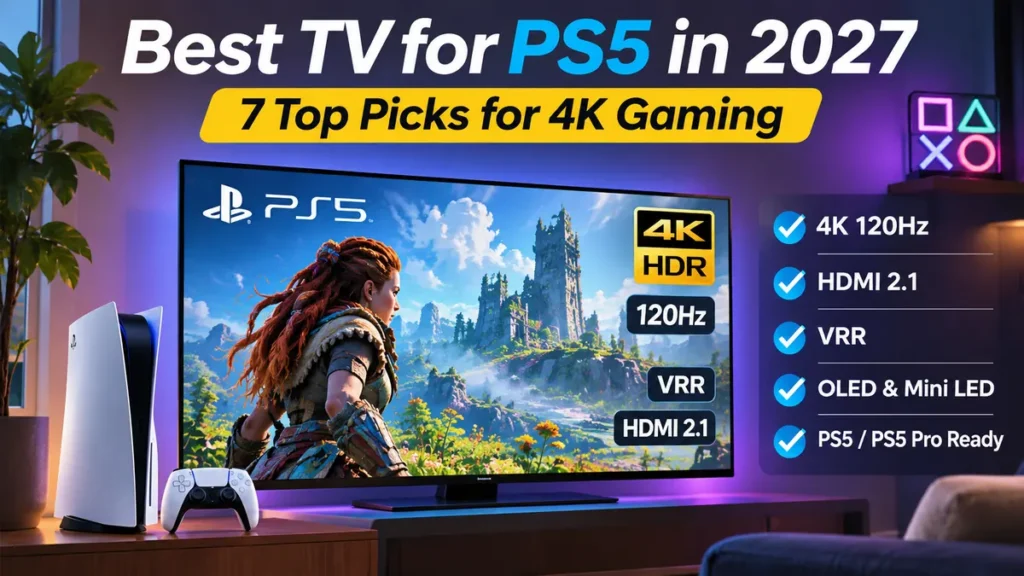
Finding the best TV for PS5 can make a noticeable difference in how your favorite games look and feel. A good gaming TV delivers sharp 4K images, smooth motion, responsive controls, and impressive HDR without forcing you to overspend.
But there’s a problem. Television manufacturers advertise dozens of specifications, and not every feature matters equally for PlayStation gaming.
Do you actually need a 165Hz screen when the PS5 supports up to 120Hz? Is OLED better than Mini LED? How important are HDMI 2.1, Variable Refresh Rate (VRR), and input lag? And should PS5 Pro owners spend more on a premium display?
This guide answers those questions and compares seven TVs worth considering for 2027. The recommendations cover premium OLED models, bright-room televisions, affordable Mini LED alternatives, and options for PlayStation enthusiasts.
Choosing the best TV for PS5 depends on more than screen size or price. A good gaming display should combine 4K resolution, responsive controls, suitable HDR performance, and features that match the games you actually play.
Quick answer: The Samsung S95H OLED is a compelling premium choice for outstanding gaming picture quality. The LG C6 OLED offers a strong balance of performance and features, while the TCL QM6K is worth considering when your budget is tighter.
Our recommendations are based on manufacturer specifications and published independent testing, not personal hands-on tests conducted by ApnarChoice. Models and availability were researched using information available through November 2026.
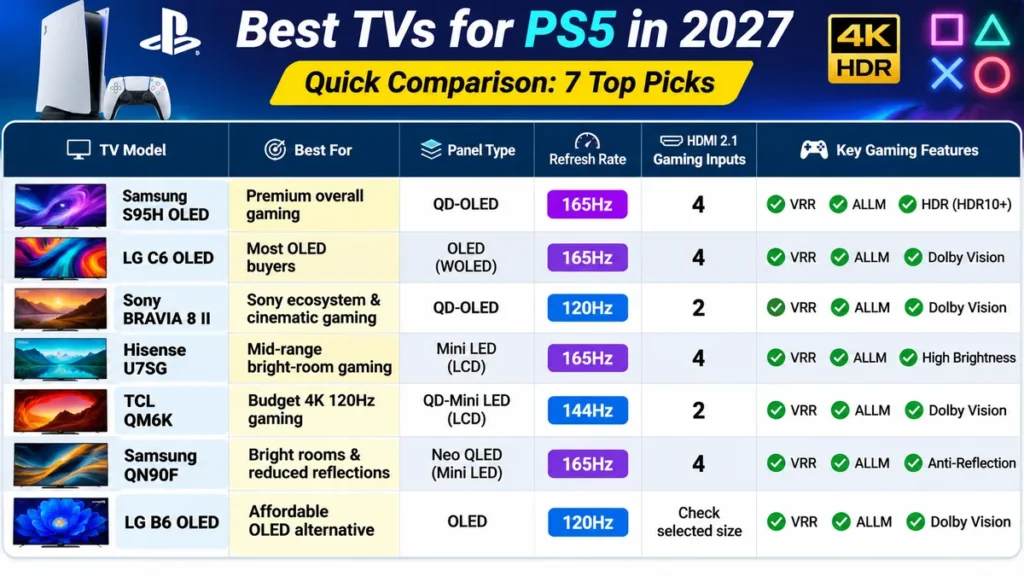
Quick Comparison: Best TVs for PS5 in 2027
| TV Model | Best For | Display Technology | Maximum Refresh Rate | HDMI 2.1 Gaming Inputs |
|---|---|---|---|---|
| Samsung S95H OLED | Premium overall gaming | QD-OLED | 165Hz | 4 |
| LG C6 OLED | Most OLED buyers | WOLED | 165Hz | 4 |
| Sony BRAVIA 8 II | Sony ecosystem and cinematic gaming | QD-OLED | 120Hz | 2 |
| Hisense U7SG | Mid-range bright-room gaming | Mini LED LCD | 165Hz | 4 |
| TCL QM6K | Budget 4K 120Hz gaming | QD-Mini LED | 144Hz | 2 |
| Samsung QN90F | Glare-heavy living rooms | Neo QLED Mini LED | 165Hz | 4 |
| LG B6 OLED | Affordable OLED alternative | OLED | Up to 120Hz | Check selected size |
Our best TV for PS5 recommendations include premium OLED displays, bright Mini LED televisions, and more affordable models. Each option serves a different type of gamer, so compare its strengths with your room lighting and budget.
Refresh rates above 120Hz mainly benefit compatible gaming PCs. Both the standard PS5 and PS5 Pro are limited to 120Hz output for high-frame-rate gaming. Confirm the specifications of the exact screen size before ordering.
1. Samsung S95H OLED: Best Premium TV for PS5
Before choosing the best TV for PS5, check the HDMI specifications, native refresh rate, gaming input lag, and reflection handling. These features can make a greater difference than the manufacturer’s advertised motion rating.
Best for: Players who want premium HDR gaming, outstanding color, very fast response times, and minimal visible reflections.
The Samsung S95H OLED is one of the strongest choices for anyone seeking the best TV for PS5 without a tight budget limit.
Its QD-OLED display combines the individually controlled pixels of OLED with quantum-dot color technology. Dark scenes can appear exceptionally deep, while colorful highlights remain striking.
That combination makes a difference in games featuring detailed environments, dramatic lighting, and high-contrast scenes.
The S95H also supports up to 165Hz for compatible devices, although your PS5 will use a maximum of 120Hz.
Why It Works Well With PS5
Four HDMI 2.1 inputs provide flexibility for connecting a PS5, Xbox, gaming PC, and compatible audio equipment.
VRR helps reduce screen tearing when frame rates fluctuate. Low input lag and fast OLED pixel transitions contribute to a responsive gaming experience.
Samsung’s matte screen finish also reduces distracting reflections.
However, QD-OLED black levels can appear raised under strong ambient lighting, so a completely dark room still produces the deepest-looking blacks.
Key Features
- 4K QD-OLED display
- Up to 165Hz refresh rate
- Four HDMI 2.1 gaming inputs
- Variable Refresh Rate support
- Very fast pixel response
- Anti-reflection screen treatment
- Samsung Tizen smart-TV platform
Pros
- Excellent contrast and vibrant colors
- Very responsive for fast-paced gaming
- Strong HDR presentation
- Four high-bandwidth HDMI connections
- Reduced direct reflections
Cons
- Premium pricing
- No Dolby Vision support
- Black levels can appear elevated in bright environments
- OLED panels require sensible care around prolonged static content
Verdict: The Samsung S95H is a strong premium recommendation if your priority is outstanding picture quality and advanced gaming features.
For buyers who don’t need its premium display performance, less expensive alternatives may offer better value.
2. LG C6 OLED: Best All-Round OLED TV for PS5
Best for: Players who want excellent OLED gaming performance without paying flagship prices.
The LG C6 OLED is an attractive alternative to Samsung’s premium gaming televisions.
Like other OLED displays, it can control individual pixels independently, resulting in deep blacks and impressive contrast.
This is especially noticeable in dark fantasy worlds, nighttime racing, and story-driven games with dramatic lighting.
The C6 also delivers strong gaming responsiveness with VRR, high refresh-rate support, and four HDMI 2.1 ports.
Why It Works Well With PS5
A PS5 can take advantage of the C6’s 4K 120Hz compatibility, low input lag, and fast pixel transitions.
Games with a supported high-frame-rate mode can look substantially smoother than they do on a conventional 60Hz television.
The C6’s additional refresh-rate capability is useful if you also connect a compatible gaming PC.
Its OLED panel produces consistently dark blacks, which makes it appealing for evening gaming and movie watching.
Key Features
- 4K OLED display
- Up to 165Hz on supported models
- Four HDMI 2.1 inputs
- VRR and ALLM support
- Dolby Vision compatibility for supported video content
- LG’s gaming settings interface
- webOS smart-TV platform
Pros
- Excellent dark-room performance
- Crisp motion with very fast response times
- Multiple HDMI 2.1 ports
- Strong console and PC compatibility
- Available in relatively compact screen sizes
Cons
- Reflections can be distracting when bright lights face the screen
- Less vivid bright colors than some premium QD-OLED competitors
- OLED burn-in remains a long-term consideration
Important size detail: The 77-inch and 83-inch versions use the related LG C6H designation, with some differences in picture performance.
Verdict: The LG C6 is one of the most sensible options for buyers who want premium OLED gaming without automatically choosing the most expensive model.
It’s particularly attractive for moderately lit rooms and mixed gaming-and-movie use.
3. Sony BRAVIA 8 II: Best Sony TV for PS5 Enthusiasts
Best for: PlayStation owners who also value excellent movie processing, natural image reproduction, and Sony-specific features.
If you’re searching for the best Sony TV for PS5, the BRAVIA 8 II deserves consideration.
This premium QD-OLED television combines Sony’s picture processing with modern gaming features.
It supports 4K at 120Hz, VRR, and Auto Low Latency Mode, making it compatible with the PS5’s important gaming capabilities.
Why It Works Well With PS5
Sony’s picture processing can make older games, movies, and lower-resolution content look cleaner.
The television also supports Sony’s PlayStation-oriented features, including Auto HDR Tone Mapping and Auto Genre Picture Mode on compatible devices.
For players who regularly switch between gaming, movies, and streaming, these features can make everyday operation more convenient.
The BRAVIA 8 II’s OLED display offers deep blacks and excellent pixel response times.
Key Features
- 4K QD-OLED screen
- 120Hz native refresh rate
- HDMI 2.1 support on two ports
- VRR and ALLM
- Sony picture processing
- Dolby Vision for compatible video content
- Google TV
Pros
- Excellent color and image processing
- Very clear motion
- Deep OLED contrast
- PlayStation-focused convenience features
- Good choice for gaming and movies
Cons
- Only two HDMI 2.1-capable inputs
- One of those ports also handles eARC audio
- Higher gaming input lag than some competing OLED models
- Premium pricing
Verdict: The BRAVIA 8 II is appealing if you want a Sony-centered entertainment setup rather than a television purchased exclusively for competitive gaming.
If you need several HDMI 2.1 connections, LG and Samsung offer more flexibility on certain models.
4. Hisense U7SG: Best Mid-Range TV for PS5
Best for: Buyers who need strong gaming performance, substantial brightness, and a larger screen without paying premium OLED prices.
The Hisense U7SG offers a practical middle ground between affordable LCD televisions and expensive flagship displays.
It uses an LCD panel with advanced backlighting and local dimming to improve contrast.
Although it cannot match OLED’s pixel-level black control, it can deliver deep-looking dark scenes while maintaining high brightness.
This combination makes it useful for people who play in rooms with windows or strong overhead lighting.
Why It Works Well With PS5
The U7SG supports high refresh rates, HDMI 2.1 gaming connectivity, and VRR.
All four HDMI inputs support HDMI 2.1 bandwidth, giving owners flexibility when connecting multiple devices.
Its low input lag also contributes to responsive gameplay.
The biggest trade-off is motion clarity. Fast-moving objects can show more blur than on premium OLED screens.
Key Features
- 4K Mini LED LCD
- Up to 165Hz refresh rate
- Four HDMI 2.1 inputs
- VRR support
- Local dimming
- High screen brightness
- Effective reflection handling
Pros
- Strong value in the mid-range category
- Bright enough for many daytime gaming setups
- Four modern gaming connections
- Good HDR impact
- Deep contrast for an LCD television
Cons
- More motion blur than OLED
- Some haloing around bright objects
- Narrower viewing angles than premium OLED displays
Verdict: The Hisense U7SG is a sensible choice for PS5 owners who prioritize screen size, brightness, and practical features over premium OLED contrast.
5. TCL QM6K: Best Budget TV for PS5 120Hz Gaming
Best for: Players seeking affordable 4K 120Hz gaming with VRR.
Finding the best TV for PS5 120Hz gaming on a budget can be challenging.
Some inexpensive televisions advertise motion-enhancement technologies using numbers that don’t represent the screen’s actual refresh rate.
The TCL QM6K is different.
It supports native high-refresh-rate gaming and offers HDMI 2.1 connections suitable for 4K 120Hz output from a PS5.
Why It Works Well With PS5
The QM6K includes two HDMI 2.1 inputs, VRR support, and a panel capable of up to 144Hz with compatible equipment.
That means it can handle the PS5’s 120Hz output without requiring a premium OLED budget.
Its Mini LED backlighting and local dimming help improve contrast compared with basic LCD televisions.
However, it doesn’t match the brightness, reflection handling, or overall picture quality of higher-end competitors.
Key Features
- 4K QD-Mini LED display
- Up to 144Hz refresh rate
- Two HDMI 2.1 gaming inputs
- VRR and ALLM support
- Local dimming
- Google TV
- Dolby Vision and HDR10+ compatibility
Pros
- Affordable high-refresh-rate option
- Genuine 4K 120Hz gaming compatibility
- Useful gaming features
- Better contrast control than many basic LCD TVs
- Multiple screen sizes
Cons
- Less effective in bright rooms than higher-end alternatives
- Some blooming around bright objects
- Limited off-axis viewing performance
- Only two HDMI 2.1 gaming inputs
Verdict: The TCL QM6K is a strong budget-oriented starting point if your main goal is to enjoy compatible PS5 games at 4K 120Hz.
Check its price against newer alternatives before buying. A newer model may be preferable when the price difference is small.
6. Samsung QN90F Neo QLED: Best for Bright Gaming Rooms
Best for: Households that play games in sunny living rooms and want strong brightness with reduced reflections.
The Samsung QN90F is a Mini LED television designed to deliver substantial brightness.
It also uses a matte screen treatment that can reduce the intensity of reflections from nearby windows and lamps.
That combination makes it attractive for people who frequently play during daylight hours.
Why It Works Well With PS5
The QN90F supports up to 4K 165Hz for compatible devices, along with HDMI 2.1 and VRR.
It has four gaming-capable HDMI inputs and low input lag.
However, the QN90F comes with a meaningful limitation.
Independent testing has found that its backlight control and pixel response in Game Mode can produce more visible blur and weaker dark-scene performance than some alternatives.
Key Features
- 4K Neo QLED Mini LED panel
- Up to 165Hz refresh rate
- Four HDMI 2.1 ports
- VRR support
- Very high brightness
- Matte anti-reflection screen
- Samsung Tizen platform
Pros
- Excellent glare reduction
- Very high brightness
- Strong gaming connectivity
- Suitable for daylight viewing
Cons
- More motion blur than OLED
- Game Mode can reduce dark-scene quality
- No Dolby Vision
- May not offer the best gaming value at every price
Verdict: Consider the Samsung QN90F if reflections and room brightness are your biggest concerns.
For a darker gaming room, OLED alternatives may provide better motion clarity and black levels.
7. LG B6 OLED: Best Affordable OLED Alternative
Best for: Buyers who want OLED contrast and modern gaming features but can find the B6 at a meaningful discount compared with the C6.
The LG B6 OLED offers an alternative to LG’s more expensive C-series televisions.
Its biggest advantage is OLED picture quality.
Individually controlled pixels provide deep blacks, wide viewing angles, and fast transitions.
These qualities are particularly attractive for cinematic gaming and dark-room entertainment.
Why It Works Well With PS5
The B6 offers the key gaming capabilities expected from a modern OLED, including 4K 120Hz support, VRR, and low-latency gaming modes.
It is also a useful option for buyers who want an OLED screen for both PS5 gaming and movie watching.
Its brightness is lower than that of the C6, making it less compelling for rooms with strong ambient light.
Key Features
- 4K OLED display
- 120Hz-class console gaming support
- VRR and ALLM
- Fast OLED response
- LG smart-TV platform
- Deep blacks and wide viewing angles
Pros
- Excellent contrast
- Clear motion
- Strong console gaming suitability
- Appealing for evening viewing
- Potentially good value during sales
Cons
- Lower HDR brightness than higher-end OLED models
- Not ideal for strong reflections
- OLED burn-in risk
- May be priced too closely to the superior C6
Verdict: The LG B6 is worth buying when its sale price is noticeably lower than the C6.
If the difference is small, the brighter LG C6 is usually the more attractive purchase.
Best TV for PS5 Pro: Do You Need Something Different?
The best TV for PS5 Pro follows nearly the same buying priorities as the best television for a standard PS5.
Both consoles support high-refresh-rate 4K output up to 120Hz.
The PS5 Pro offers additional graphics capabilities in compatible games, including improved rendering and enhanced ray tracing.
A good television helps you appreciate these improvements through strong contrast, HDR brightness, fine detail, and smooth motion.
However, buying a PS5 Pro doesn’t automatically mean you need an 8K television.
For most players, a high-quality 4K display remains the sensible choice.
Best Gaming TV for PS5 Pro by Usage
| Priority | TV to Consider | Reason |
|---|---|---|
| Premium HDR and color | Samsung S95H | Excellent QD-OLED gaming presentation |
| OLED performance and value | LG C6 | Strong picture quality and gaming features |
| Sony entertainment setup | BRAVIA 8 II | Picture processing and PS5-related features |
| Bright room and mid-range budget | Hisense U7SG | Strong brightness and HDMI connectivity |
| Affordable 120Hz gaming | TCL QM6K | 4K 120Hz and VRR without flagship pricing |
An 8K model might appeal to enthusiasts interested in the small selection of compatible content, but resolution alone shouldn’t determine your purchase.
For the best gaming TV for PS5 Pro, prioritize HDR quality, response time, and room suitability first.
What Actually Matters When Buying a TV for PS5?
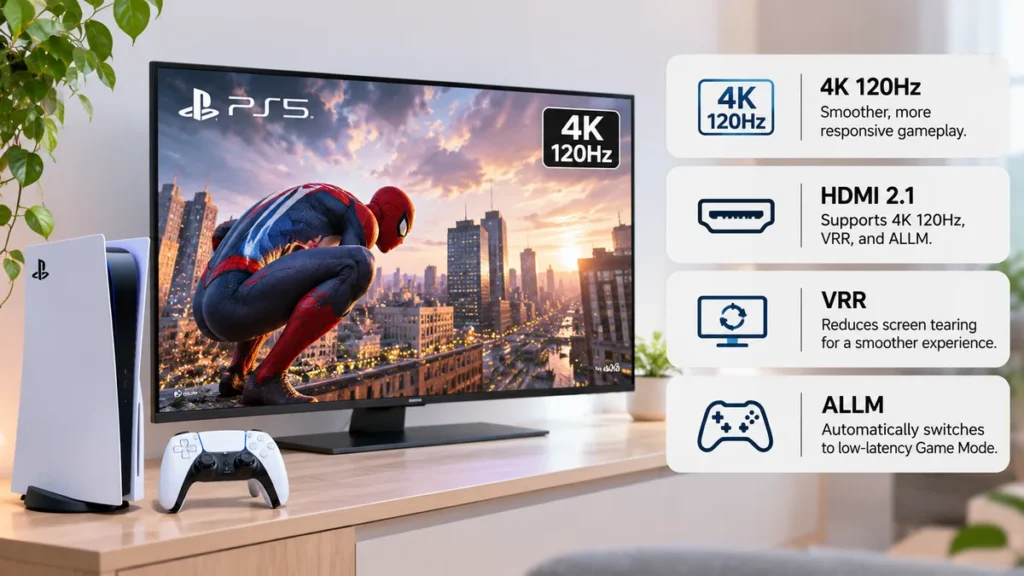
You don’t need to understand every television specification to make a good decision.
Focus on the features that affect gaming performance.
1. Genuine 4K 120Hz Support
The standard PS5 and PS5 Pro support up to 120Hz output.
A 120Hz television can display additional frames when a game offers a compatible performance mode.
This can make movement and camera panning appear smoother than at 60Hz.
However, not every PS5 game runs at 120fps.
Some games offer 30fps or 60fps modes, while others provide optional high-frame-rate settings.
A 144Hz or 165Hz television is useful for PC gaming but doesn’t make your PS5 output 144fps or 165fps.
2. HDMI 2.1 Compatibility
A suitable HDMI connection is essential for 4K 120Hz gaming.
Check whether the television supports that combination over the intended HDMI port.
Also review VRR support and the number of compatible inputs.
Don’t assume every port on a television has identical capabilities.
A TV with two HDMI 2.1 ports can be sufficient for a single PS5.
If one of those ports also carries eARC audio to a soundbar, you may have fewer remaining high-bandwidth inputs for other consoles.
Do you need full 48Gbps HDMI 2.1?
Not necessarily.
The PS5 doesn’t require every capability of a 48Gbps link to provide 4K 120Hz gameplay.
Choose a TV based on confirmed video-format support rather than bandwidth marketing alone.
3. Variable Refresh Rate
VRR helps synchronize the television’s refresh rate with the frame output of compatible games.
This can reduce tearing and improve the appearance of uneven frame delivery.
For example, when a game’s frame rate changes during a demanding scene, VRR can help maintain smoother presentation.
Make sure the television supports the HDMI VRR format required by the PS5.
Don’t assume that FreeSync branding alone guarantees full PlayStation VRR compatibility.
4. Auto Low Latency Mode
ALLM allows compatible equipment to switch automatically into a lower-latency display mode.
This is convenient because it reduces the need to manually change picture settings when moving between gaming and video content.
Even without ALLM, many TVs offer a Game Mode that can reduce input lag.
5. Low Input Lag
Input lag is the delay between a gaming input and the corresponding visual change on the screen.
Lower input lag generally makes controls feel more responsive.
For competitive games, a low-latency mode is particularly important.
However, input-lag measurements change with resolution, refresh rate, picture mode, and testing methods.
Compare measurements taken under similar conditions.
A single advertised number does not tell the entire story.
6. OLED vs Mini LED
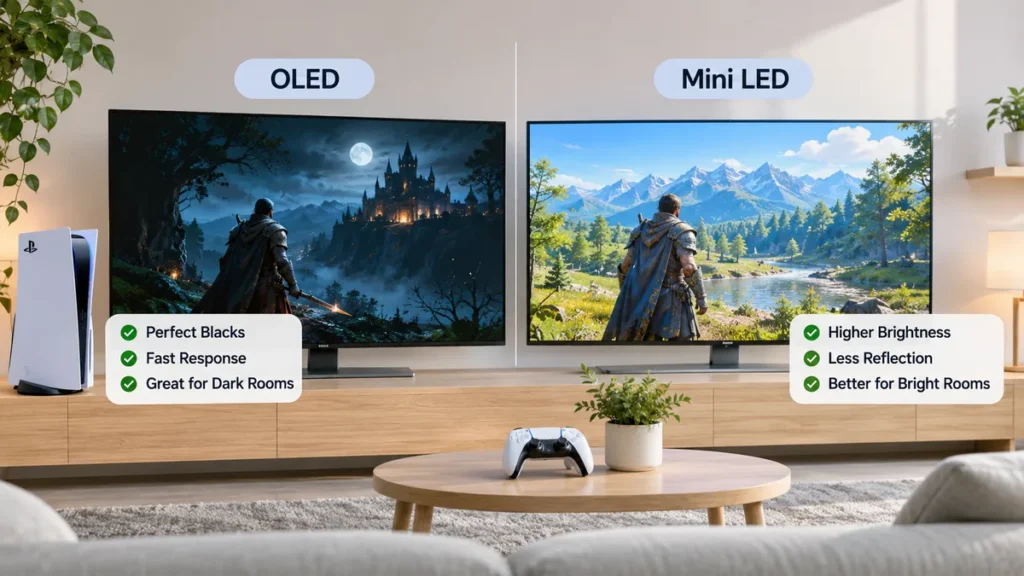
The choice between OLED and Mini LED depends largely on your room and priorities.
OLED may be better if you want:
- Deep blacks in a dark room
- Very fast pixel response
- Wide viewing angles
- Excellent contrast in cinematic games
Mini LED may be better if you want:
- High brightness for daytime viewing
- Strong value at larger screen sizes
- Less concern about OLED image retention
- An LCD suitable for long sessions with static graphics
Neither technology is automatically superior in every environment.
A premium Mini LED can outperform an entry-level OLED for certain bright-room uses.
Meanwhile, OLED often provides clearer motion and deeper blacks.
To understand the differences between OLED and other display technologies, read our detailed guide: What Is an OLED TV? How It Works and When It’s Worth Buying.
7. HDR Brightness and Tone Mapping
HDR can make compatible games more visually impressive.
Bright highlights, reflections, and darker areas can show greater depth when the television reproduces the image effectively.
Look for independent HDR tests rather than relying solely on marketing descriptions.
Peak brightness matters, but so do contrast and the television’s tone-mapping behavior.
Two TVs with similar advertised brightness can produce noticeably different gaming images.
8. Screen Size and Viewing Distance
Choose a screen size that suits your room.
A large screen can make single-player games more immersive, but a competitive player sitting close to the display may prefer a smaller television.
Here are approximate starting points, not strict rules.
| Screen Size | Approximate Viewing Distance |
|---|---|
| 42–48 inches | 3.5–6 feet |
| 55 inches | 5–7 feet |
| 65 inches | 6–9 feet |
| 75–77 inches | 7–10 feet |
| 83–85 inches | 8–11 feet |
Personal comfort and viewing angle matter more than following one distance formula exactly.
How to Set Up Your New TV for PS5 Gaming
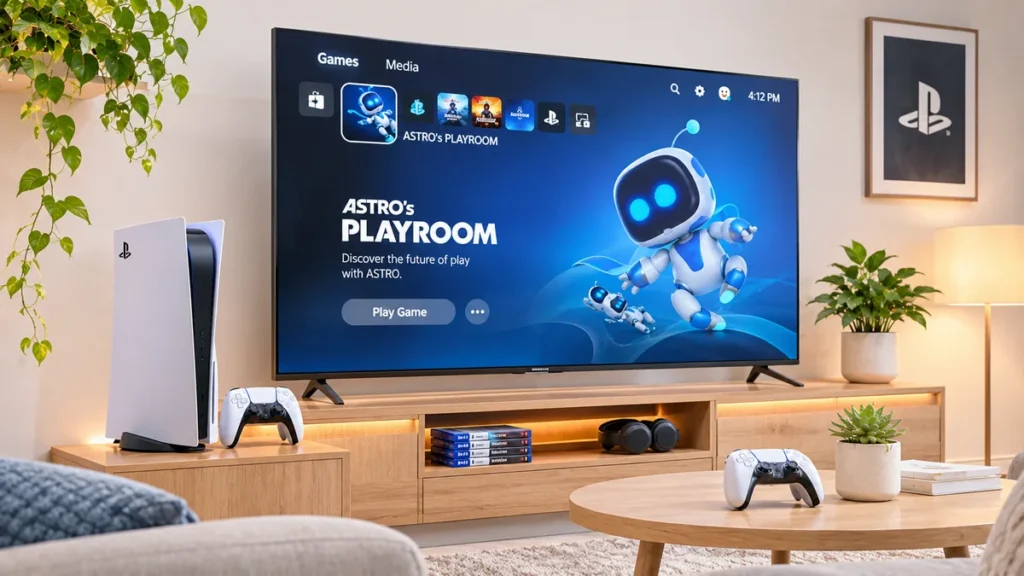
Once you connect the PS5 to your TV, check the video settings to make sure you’re using the available features.
Step 1: Connect the Correct HDMI Port
Use the HDMI cable supplied with your console or a suitable certified Ultra High Speed HDMI cable.
Connect it to a television input that supports the desired 4K 120Hz and VRR features.
Some TVs require you to enable an enhanced HDMI input format in their menus.
Step 2: Check Video Output
On your PS5, open:
Settings > Screen and Video > Video Output
Review the detected display capabilities.
Set Resolution to Automatic unless you have a specific reason to choose another format.
Step 3: Enable 120Hz Output
Set 120 Hz Output to Automatic on a compatible display.
Remember that a game must also support high-frame-rate output.
Some games require you to select their Performance Mode in the game settings.
Step 4: Enable VRR
Set VRR to Automatic when using a compatible television.
If you experience unusual behavior, review the TV’s HDMI configuration and VRR settings.
The option to apply VRR to unsupported games may help in some situations, but it can also cause problems with particular titles.
Step 5: Adjust HDR
Run the PS5’s Adjust HDR procedure.
Follow the on-screen symbols and instructions while using your TV’s intended HDR gaming mode.
Avoid copying another television owner’s exact calibration settings because panel brightness and tone-mapping behavior differ.
Step 6: Select Game Mode
Enable the television’s Game Mode or equivalent low-latency setting.
This generally reduces unnecessary video processing.
Use the TV’s gaming menu to check VRR status, refresh rate, and other supported options.
Step 7: Test a Compatible Game
Launch a PS5 game with a supported 120fps or VRR mode.
Check the console’s output information and the TV’s gaming dashboard when available.
This verifies that your equipment is working together as intended.
Common Mistakes to Avoid
Even an expensive television can disappoint if its features don’t match your needs.
Buying based only on advertised refresh rate: A 165Hz television isn’t automatically better for PS5 than a strong 120Hz television.
Ignoring HDMI port limitations: Check which inputs support 4K 120Hz, VRR, and eARC.
Comparing OLED and Mini LED without considering room lighting: Your viewing environment can change which display looks better.
Paying for unnecessary 8K features: Most PS5 owners will benefit more from excellent 4K HDR than from an expensive 8K panel.
Assuming every screen size performs identically: Some product families use different panels or display hardware at different sizes.
Ignoring clearance and installation: Large screens require suitable furniture, mounting hardware, and ventilation.
Buying from outdated rankings: A television that was a strong value in 2025 may be harder to find or less competitive in 2027.
Frequently Asked Questions
What is the best TV for PS5 in 2027?
The Samsung S95H OLED is a strong premium option based on independent 2026 testing. The LG C6 offers excellent OLED performance at a potentially lower price, while the TCL QM6K is a sensible budget choice. The best purchase depends on pricing and availability when you shop in 2027.
What is the best TV for PS5 Pro?
The best TV for PS5 Pro should support 4K 120Hz, VRR, low input lag, and impressive HDR. You don’t need an 8K television to enjoy the console’s enhanced graphics in compatible games.
The Samsung S95H and LG C6 are excellent candidates for PS5 Pro gaming. Both offer strong OLED picture quality, high-refresh-rate support, low input lag, and VRR. You don’t need a separate class of TV just because you own a PS5 Pro.
Do I need a 120Hz TV for PS5?
No. The PS5 also works with 60Hz televisions. However, a genuine 120Hz display is worthwhile if you want to play supported games in high-frame-rate modes.
Can PS5 use a 144Hz or 165Hz TV?
Yes. A compatible 144Hz or 165Hz television can accept the PS5’s 120Hz output. The extra refresh-rate capacity is mainly useful for compatible gaming PCs.
Is OLED better than QLED for PS5 gaming?
OLED generally offers better black levels and faster pixel transitions. However, high-quality QLED and Mini LED televisions can provide excellent brightness and value, particularly in bright rooms.
What is the best OLED TV for PS5?
The Samsung S95H and LG C6 are strong choices. The Samsung emphasizes premium QD-OLED color and reflection handling, while the LG C6 offers balanced OLED gaming performance.
Is a 4K TV necessary for PS5?
A 4K television is recommended for taking advantage of the console’s high-resolution output, but it isn’t required. The PS5 also supports compatible lower-resolution displays.
Does PS5 support Dolby Vision gaming?
The PS5 and PS5 Pro use HDR10 for HDR gaming rather than Dolby Vision. Dolby Vision support can still matter for movie and streaming content accessed through compatible TV applications.
Is HDMI 2.1 necessary for PS5?
HDMI 2.1 features are important if you want 4K 120Hz and VRR support. However, a PS5 can still operate with TVs that offer more limited HDMI capabilities.
What is the best budget gaming TV for PS5?
The TCL QM6K is worth considering because it offers genuine 4K 120Hz support, VRR, and Mini LED technology at a relatively affordable price point.
Can a 60Hz TV still be good for PS5?
Yes. If you mostly play games at 30fps or 60fps, a good 60Hz TV can still provide enjoyable results. You simply won’t see the full benefit of games offering higher frame rates.
Does PS5 Pro require an 8K TV?
No. A high-quality 4K 120Hz television is the more practical option for most PS5 Pro owners. The console’s enhanced graphics capabilities can be appreciated on a 4K display.
There is no single best TV for PS5 for every household. OLED is attractive for cinematic gaming in darker rooms, while Mini LED can be practical for bright living spaces and buyers seeking a larger screen at a lower price.
Final Verdict: Which PS5 TV Should You Buy?
The best TV for PS5 isn’t necessarily the one with the highest refresh rate or the most expensive display technology.
The right choice depends on how you play.
Choose the Samsung S95H OLED if premium HDR performance, vibrant colors, and advanced gaming features are your priorities.
Choose the LG C6 OLED if you want excellent OLED gaming with a more balanced approach to price and features.
Choose the Sony BRAVIA 8 II if you prefer Sony’s picture processing and PlayStation-oriented features.
Choose the Hisense U7SG if you’re buying for a brighter room and want strong mid-range value.
Choose the TCL QM6K if affordable 4K 120Hz gameplay is your main goal.
For buyers dealing with intense reflections, the Samsung QN90F is also worth comparing. If you find the LG B6 at a substantial discount, it can be an attractive entry into OLED gaming.
Before purchasing, compare the exact screen size, confirm US availability, check the HDMI specifications, and review current independent tests.
A good PS5 television should make your games look impressive, feel responsive, and suit your room for years to come.
Sources and Further Reading
The following resources support the technical information and model comparisons in this guide:
- RTINGS: Best TVs for PS5 and PS5 Pro
- RTINGS: Best Gaming TVs
- RTINGS: Sony BRAVIA 8 II Review
- RTINGS: Samsung QN90F Review
- RTINGS: TCL QM6K Review
- PlayStation: How to Change PS5 Resolution and Video Settings
Editorial disclosure: ApnarChoice.com has not independently tested these televisions. Product suggestions are based on published reviews, official specifications, and feature comparisons. Prices, stock, screen sizes, firmware, and product specifications may change. This guide uses information available through November 16, 2026, and should be reviewed as additional 2027 models become available.